
First Time Connecting API Keys
A step-by-step guide to securely linking your exchange to Sequence.
Table of contents
- Before you Start
- Step 1: Go to Sequence Home page
- Step 2: Sign Up
- Step 3: Check your Email
- Step 4: You will be redirected to the Main Dashboard
- Step 5: Add new strategy
- Step 6: Submit your API Keys
- Step 7: You will receive an email confirmation
- 💡 Special Note for Bybit Users
- Additional Information
- What's next?
- Critical Guidelines for Active Strategies
Key terms on this page
This comprehensive guide walks you through the entire process of connecting your exchange to Sequence for the first time, including API setup and submission.
The guide is organized into the following sections:
Special Note:
For guidance on submitting APIs for other exchanges such as Bitget Spot, Bitget Derivatives, Blofin, OKX, Kraken, KuCoin, Binance, or Binance.US, please refer to their individual setup guides. The process is very similar to this guideline.
Before you Start
For a smoother experience, we recommend completing this process using a desktop browser (preferably Chrome or Safari). Explorer, Firefox, and mobile browsers may encounter issues during setup.
Please note that this process is the same for submitting Spot or .
Please note: This setup is for first-time connections. If you are here to refresh or update expiring API keys, do not proceed with these steps. Instead, keep your current keys active until you receive a confirmation from support@tradewithsequence.com.
For instructions on updating existing keys, please refer to our Refreshing API Keys.
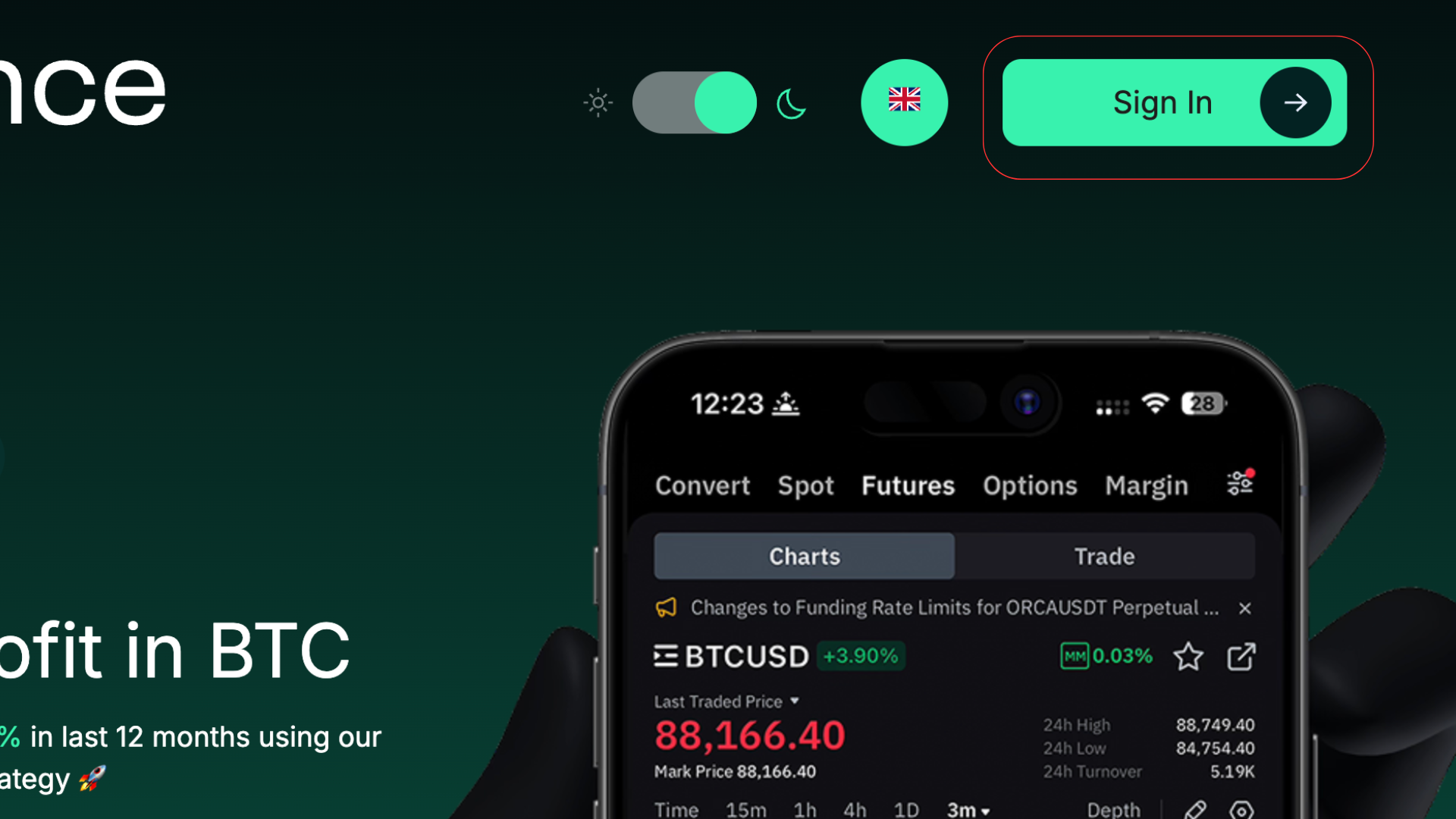
Step 1: Go to Sequence Home page
Click “Sign in”
Step 2: Sign Up
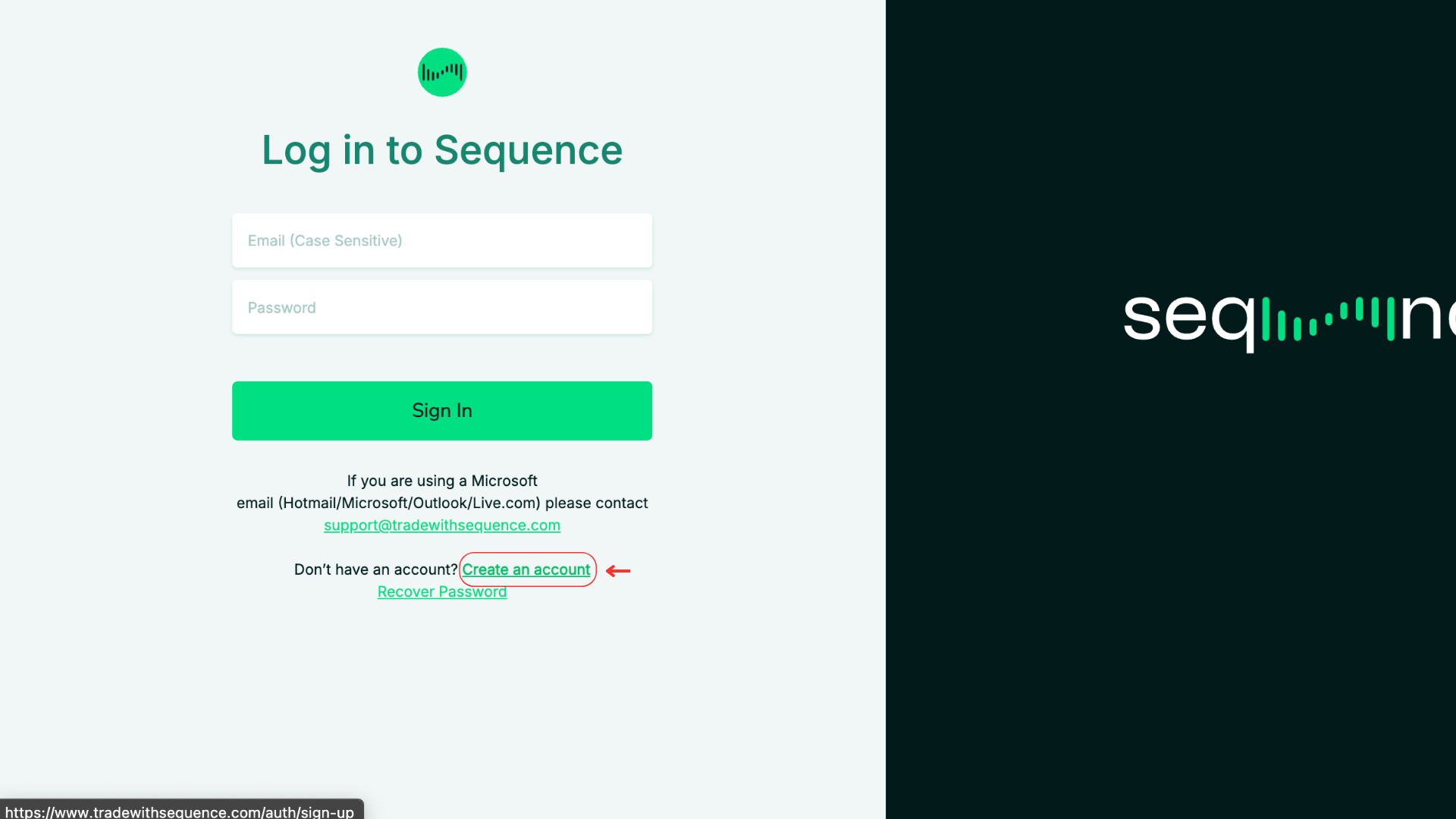
If you don’t have an account yet, click “Create an Account” to sign up.
If you already have an account, enter your credentials to sign in.
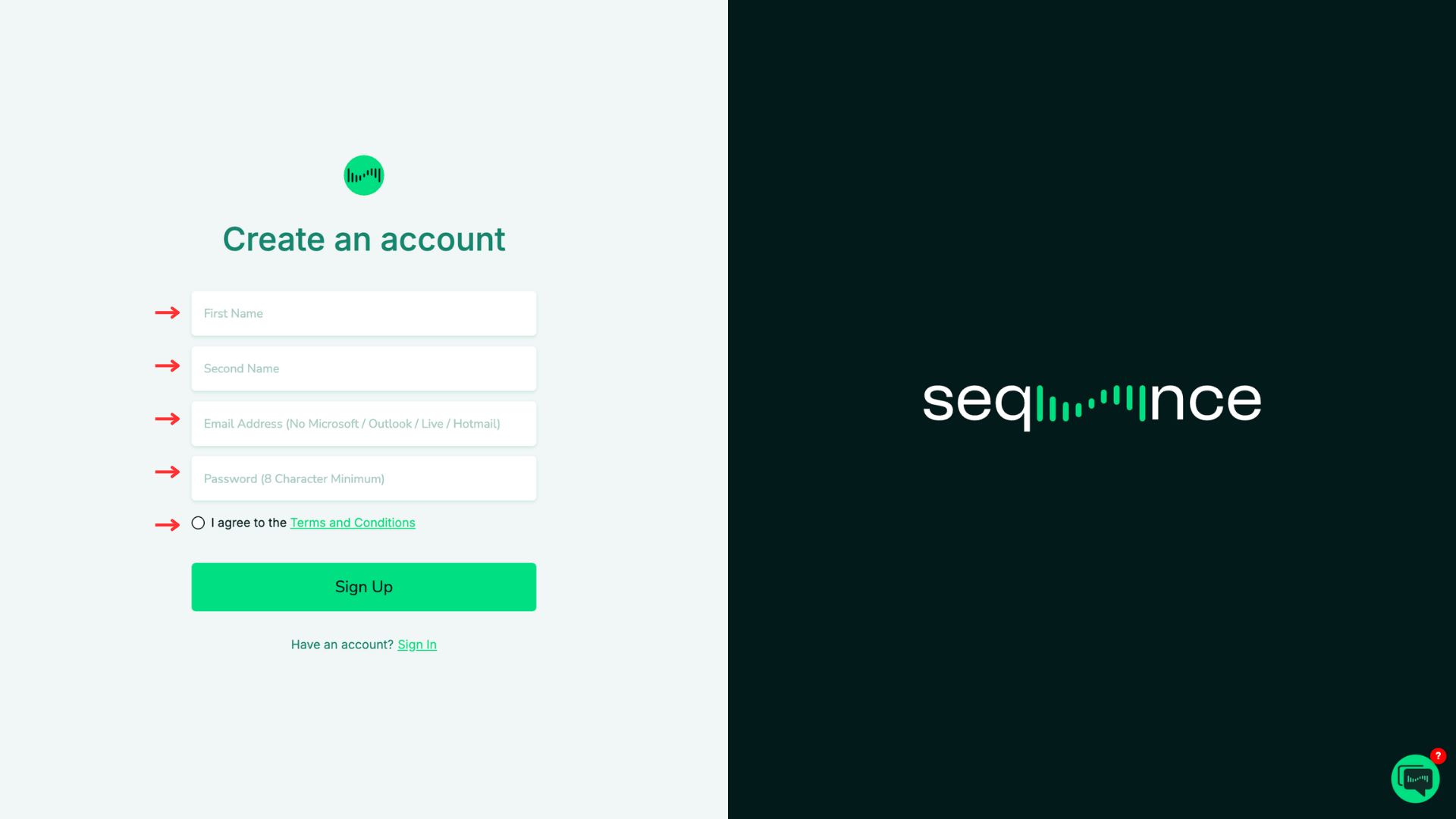
On the Create an Account screen, complete all required fields: First Name, Second Name, Email Address (no Microsoft/Outlook/Live/Hotmail), and Password (minimum 8 characters).
Check the box to agree to the Terms and Conditions.
Click Sign Up to create your account.
Step 3: Check your Email
You will be asked to check your 2FA details
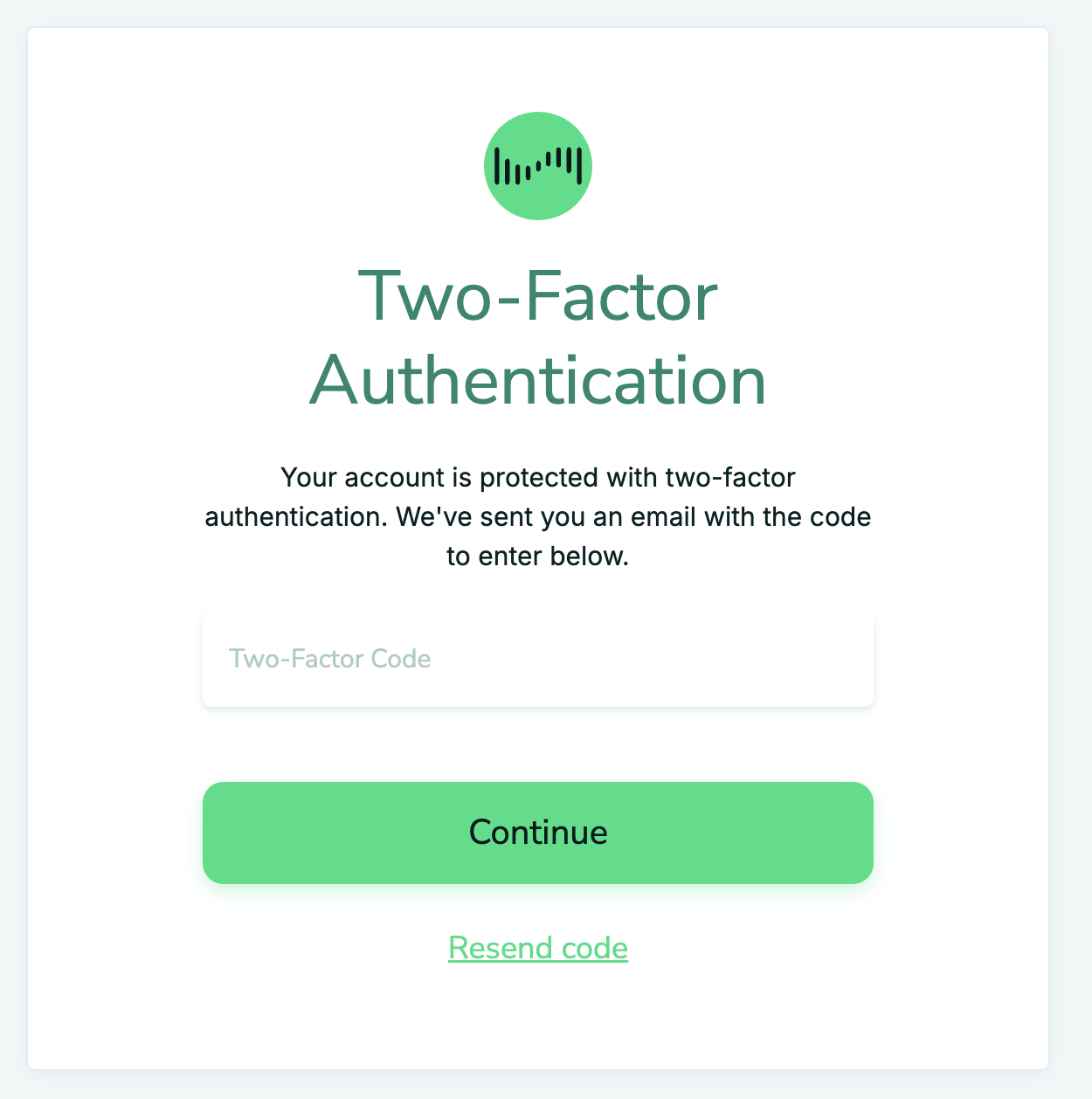
⚠️ If you don’t receive an email, firstly check spam, and secondly please check the Sequence welcome email that you registered with initially - these must match 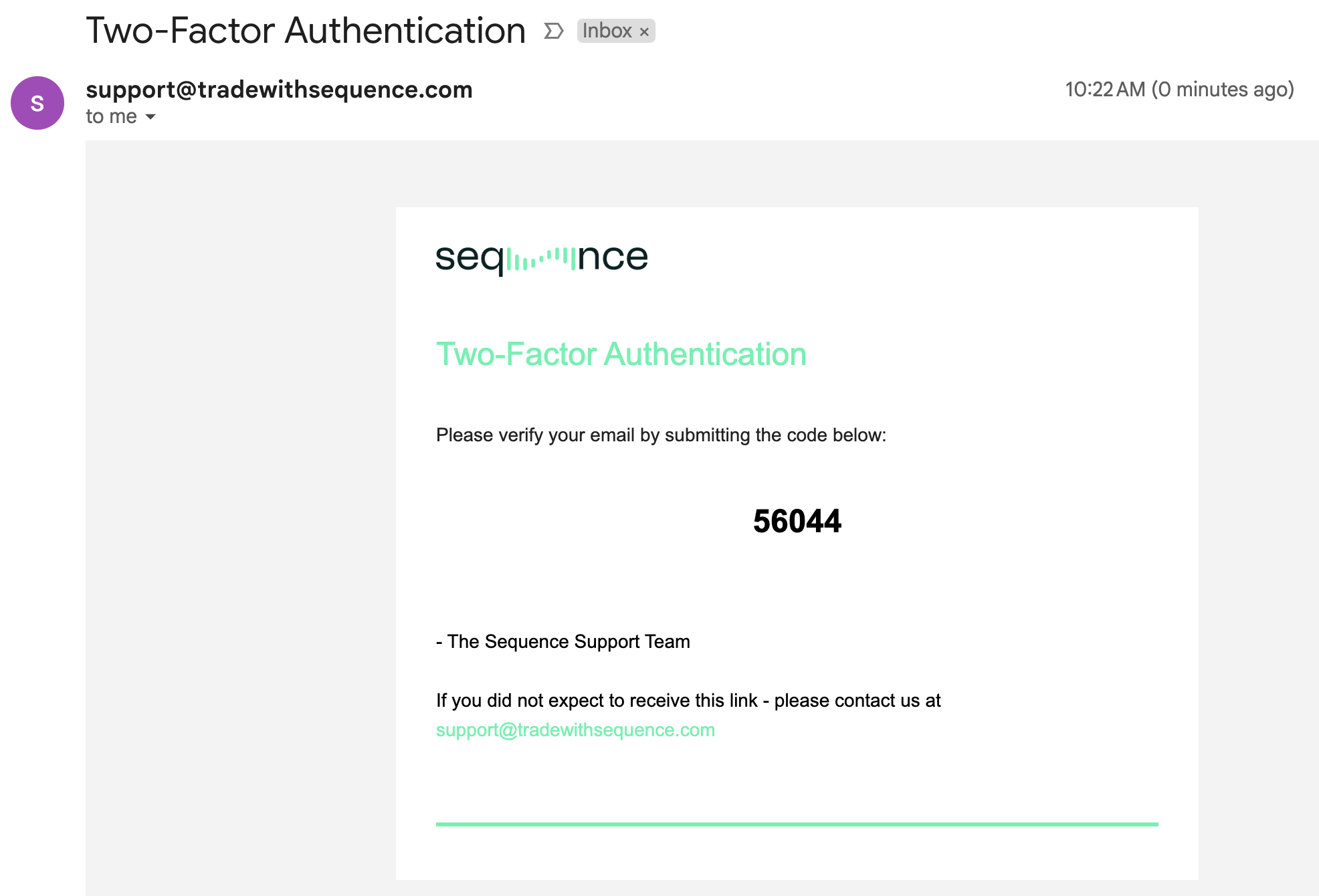
Enter 2FA Details in the web interface (Screenshot above)
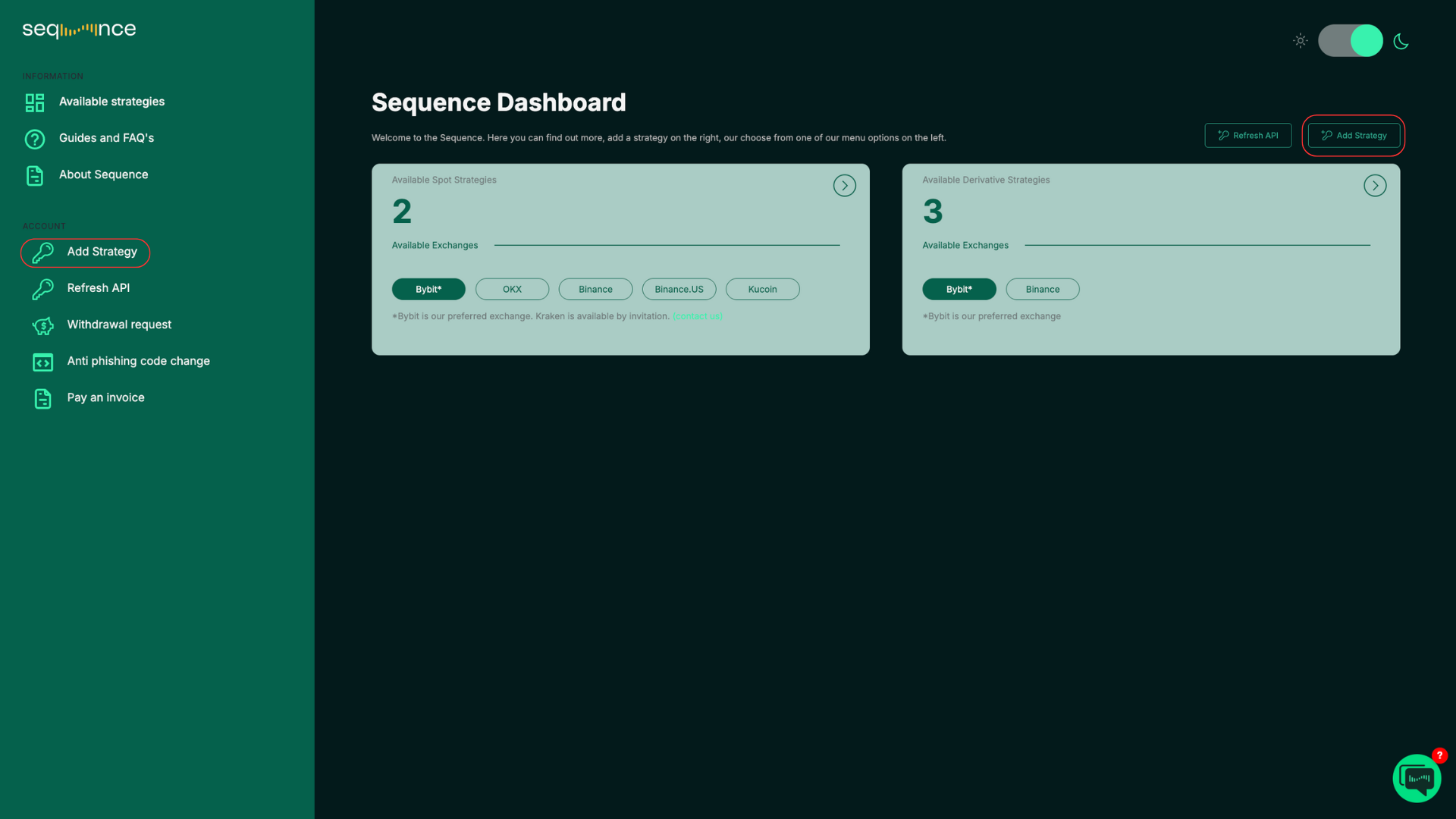
Step 4: You will be redirected to the Main Dashboard
In the top right corner or in the left-hand panel of the Dashboard, you will see “Add Strategy.”
Click “Add Strategy” to set up a new trading bot for the first time.
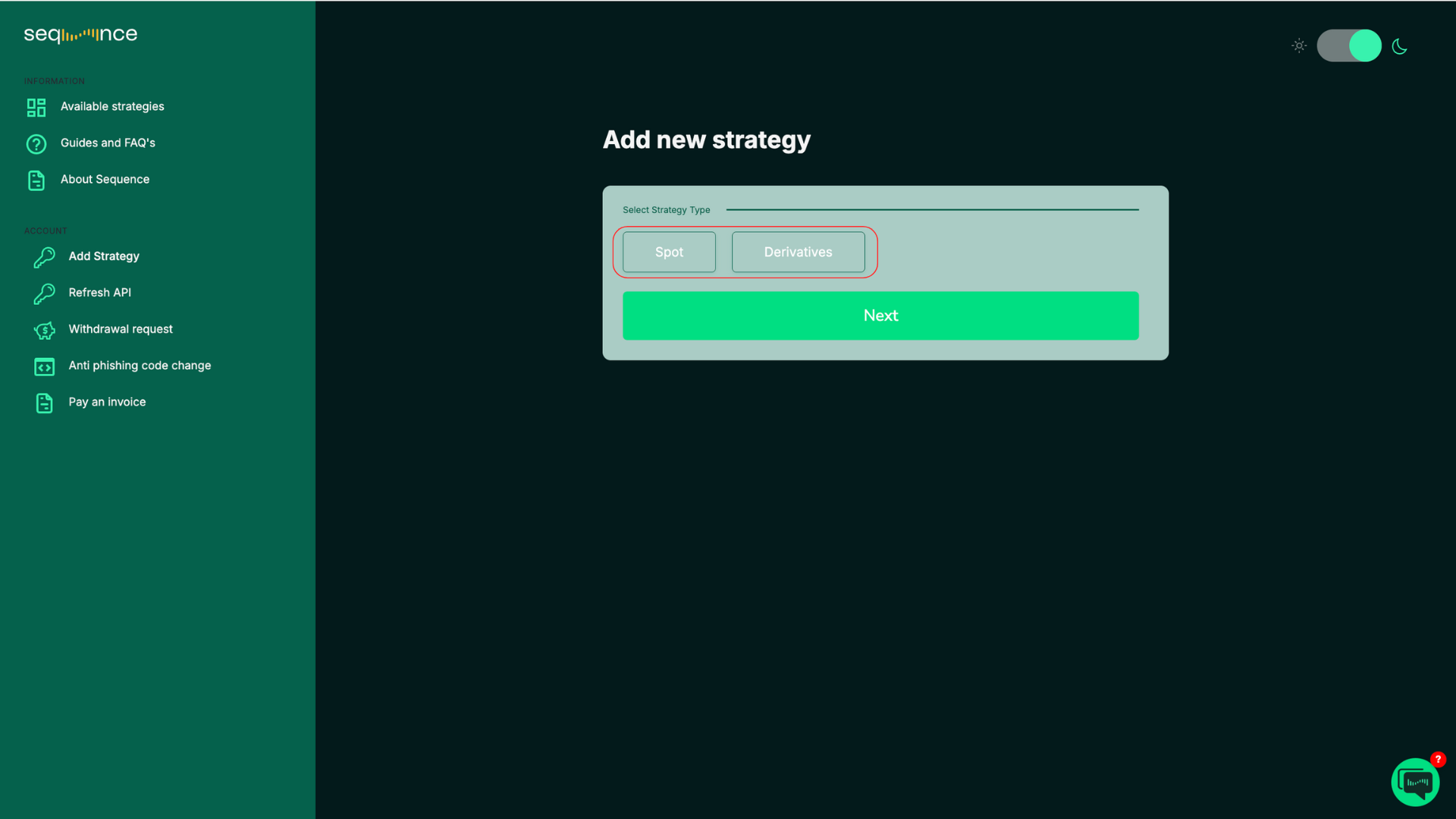
Step 5: Add new strategy
Choose between “Spot” or “Derivatives”.
Choose your “Exchange”. Please note that not all strategies are available on all exchanges.
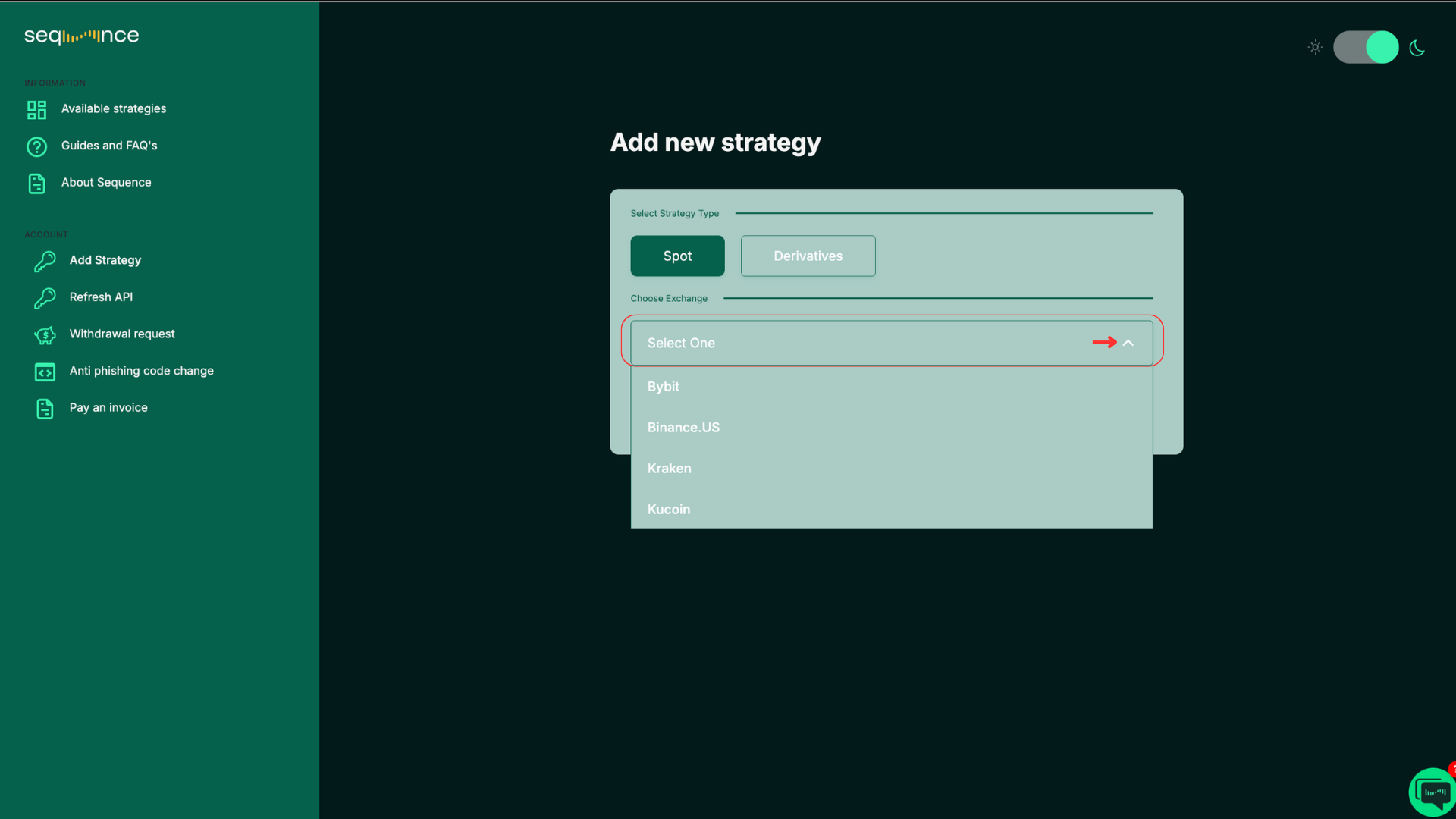
Tip: Click anywhere outside the menu to close the dropdown. Select your “Strategy”. Strategies labeled “Invite Only” are limited to specific users. Please contact us to check your eligibility.
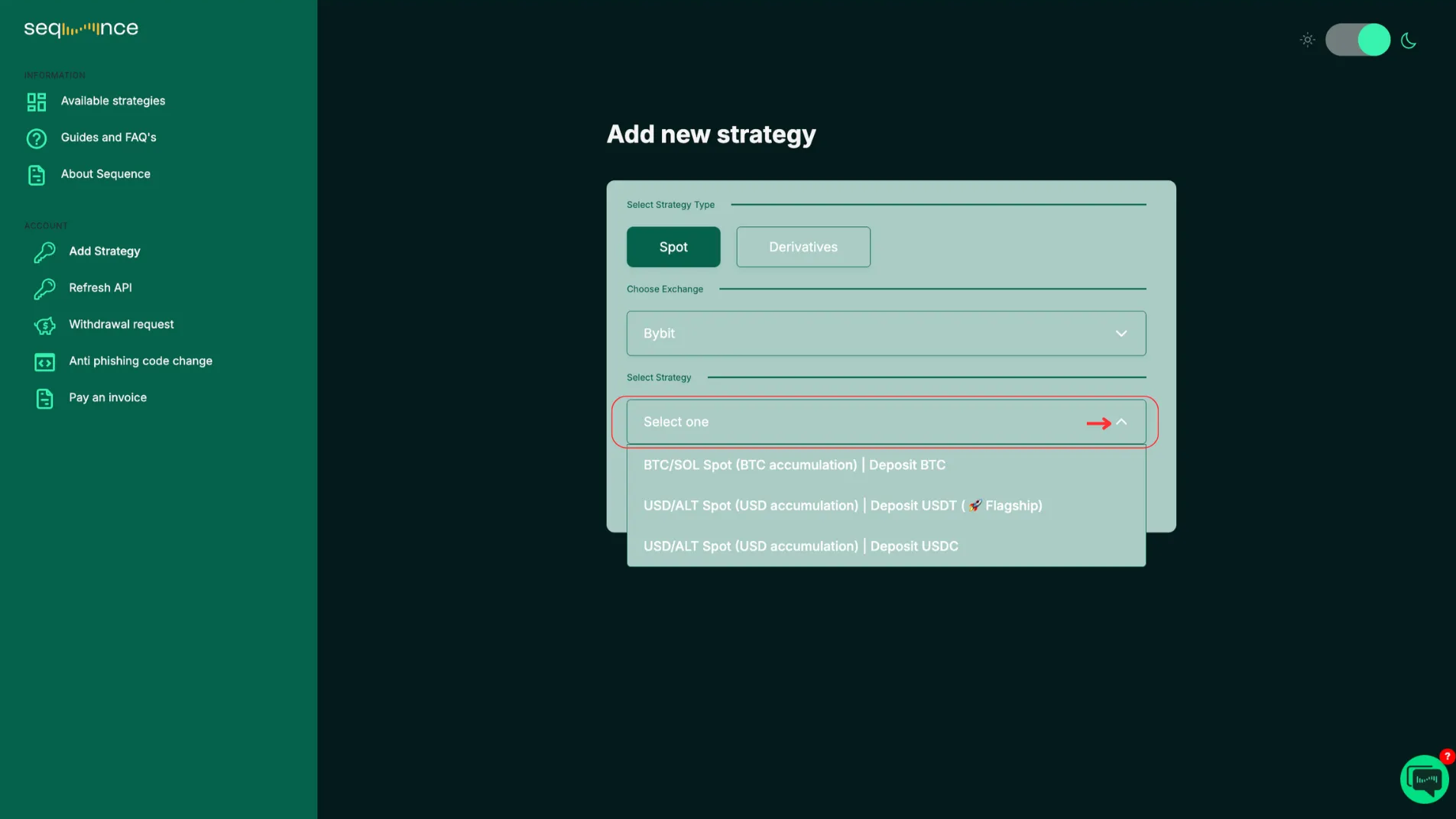
Tip: Click anywhere outside the menu to close the dropdown. Click “Next”.
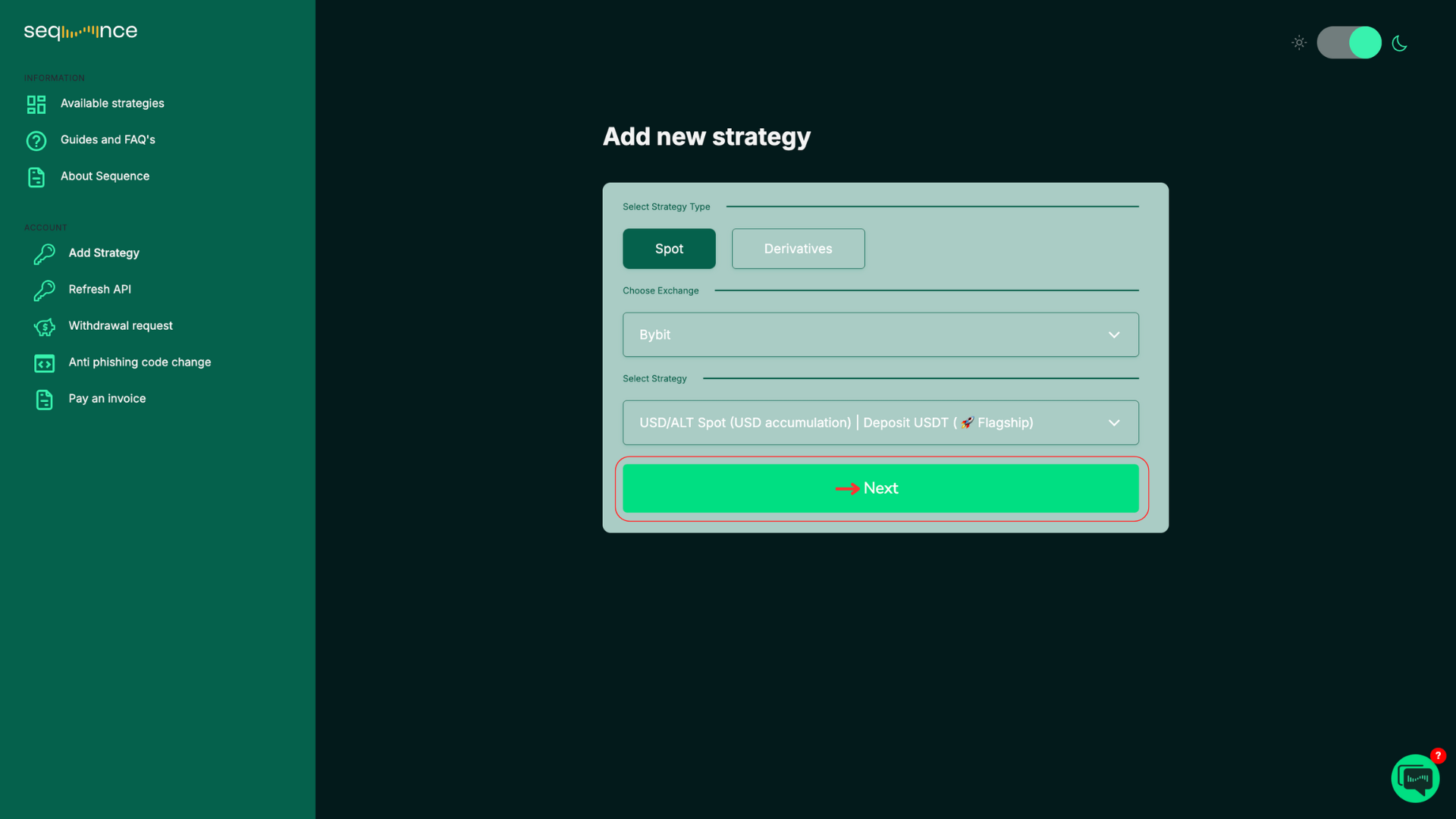
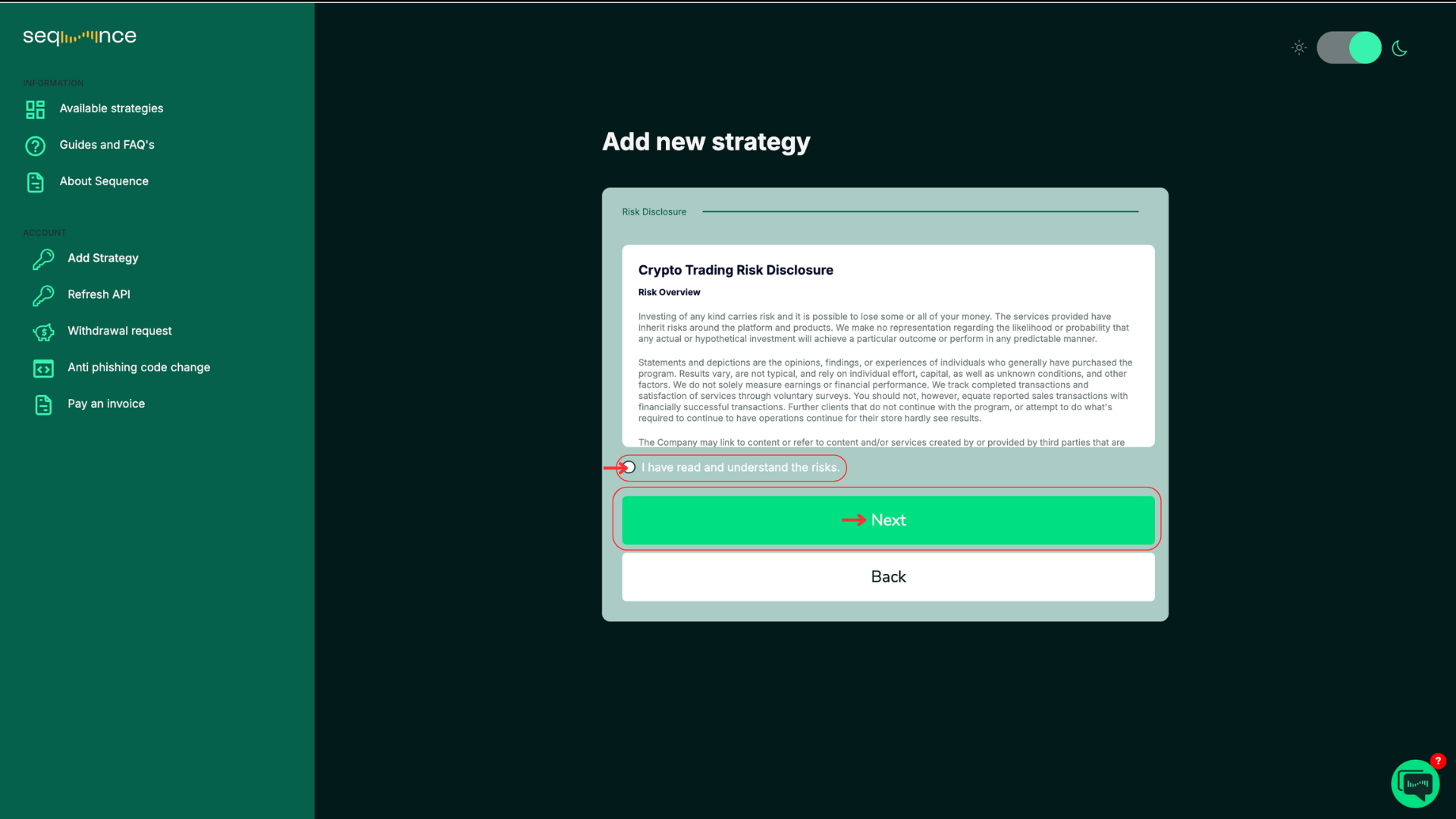
Read and accept to the Crypto Trading Risk Disclosure.
Make sure you understand the trading risks in the disclosure.
Click “I have read and understand the risks” and then click “Next”.
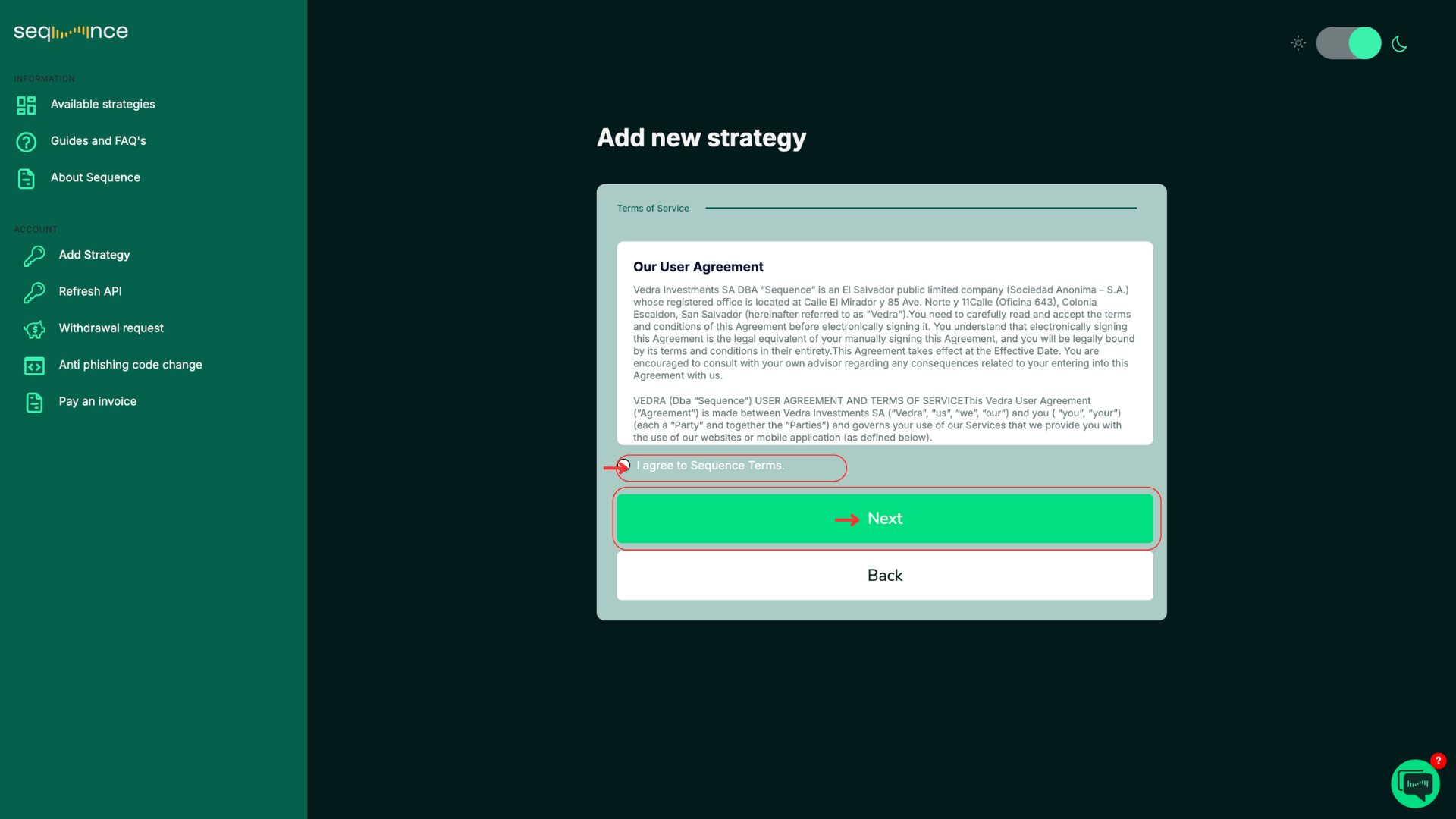
Read and accept to our User Agreement.
Make sure you understand the terms and conditions.
Click “I agree to Sequence Terms” and then click “Next”.
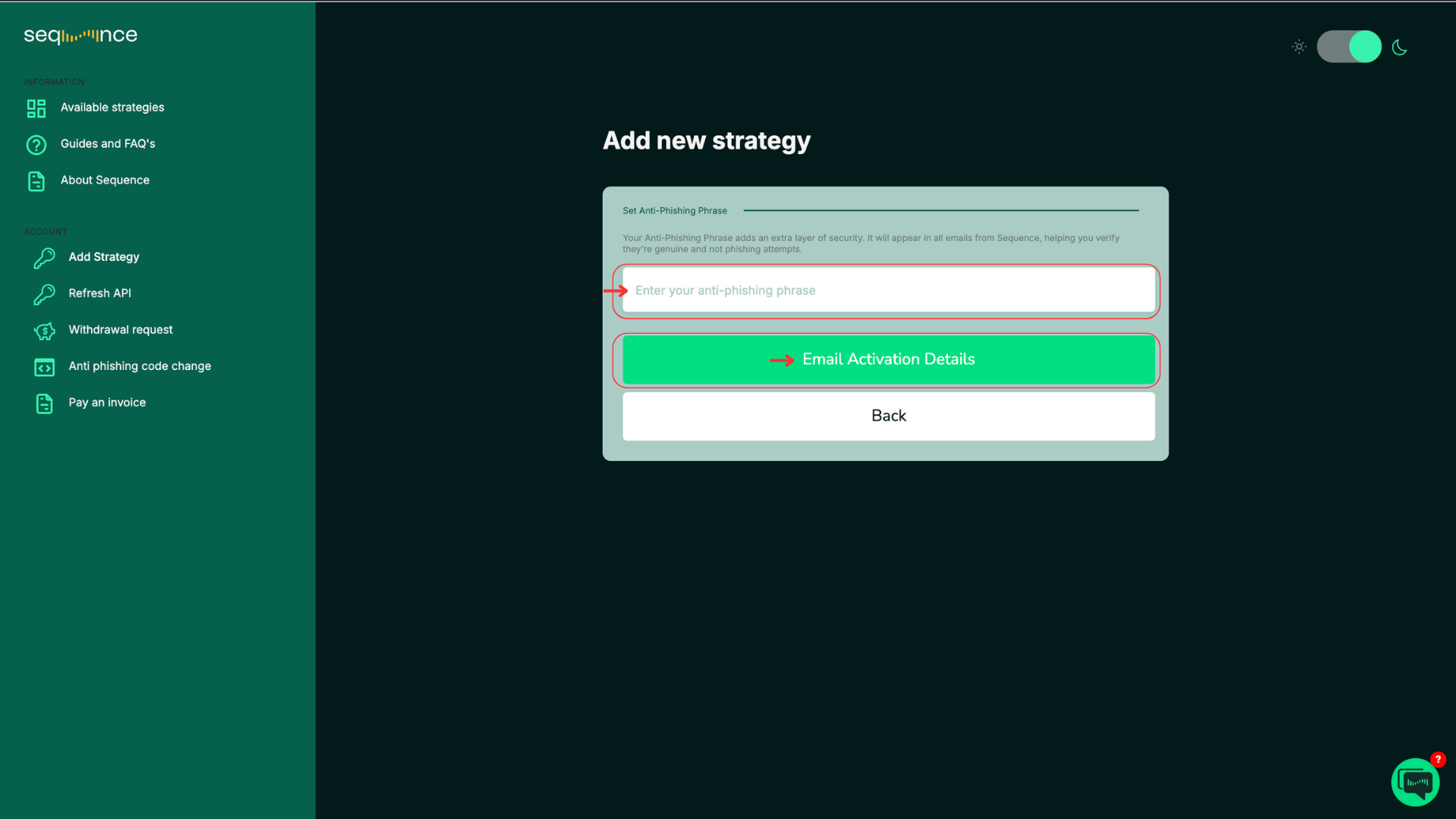
Set Up Your Anti-Phishing Code
Enter a word or code between 4 to 20 characters. This code helps you verify that messages you receive are genuinely from Sequence.
Then click “Email Activation Details”
A “Please check your email” message will appear. Check your email.
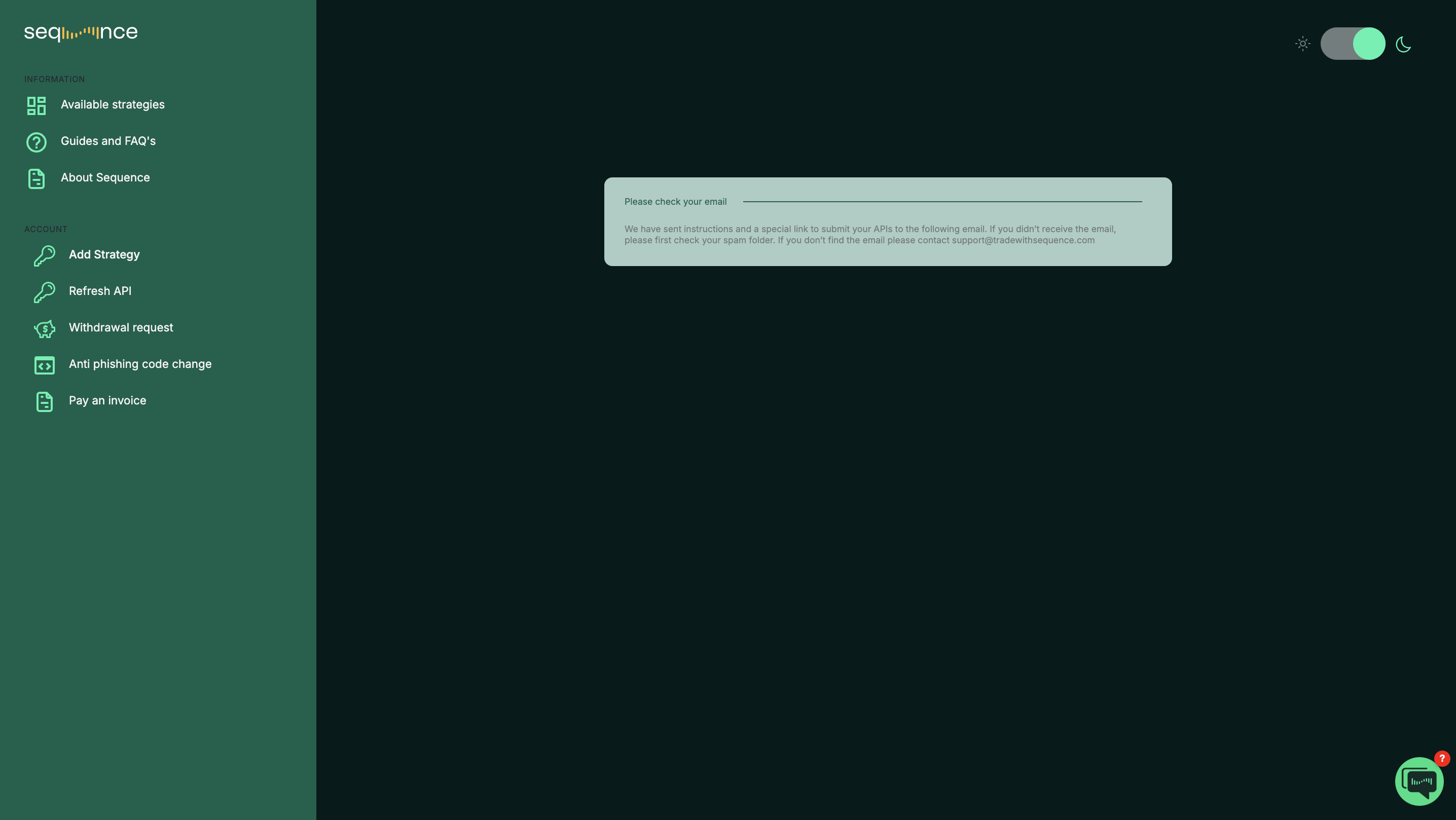
We have sent instructions and a special link to the email address you registered with.
If you don’t see the email in your inbox, check your Spam or Junk folder.
If you still can’t find it, contact support@tradewithsequence.com.
Step 6: Submit your API Keys
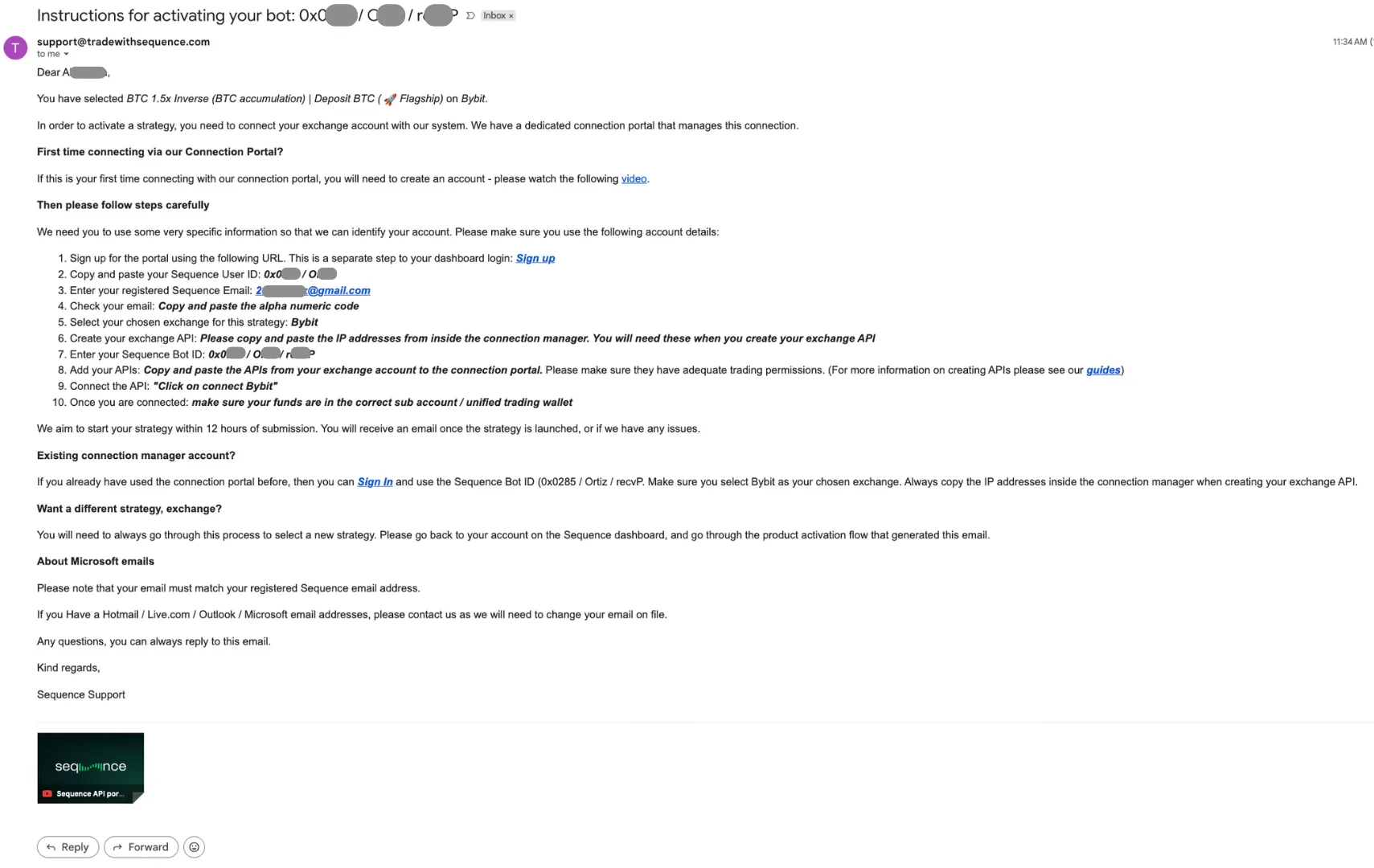
Locate your Sequence User ID, bot ID and primary email address.
Sequence ID/Bot ID: You can find this information in the email your received in Step 5.
Example:
Client ID = 0x000 / ClientName
BOT ID = 0x000 / ClientName / BotID
Confirm email:
Go to: https://api.tradewithsequence.com/signup
Input your Sequence User ID and your email address.
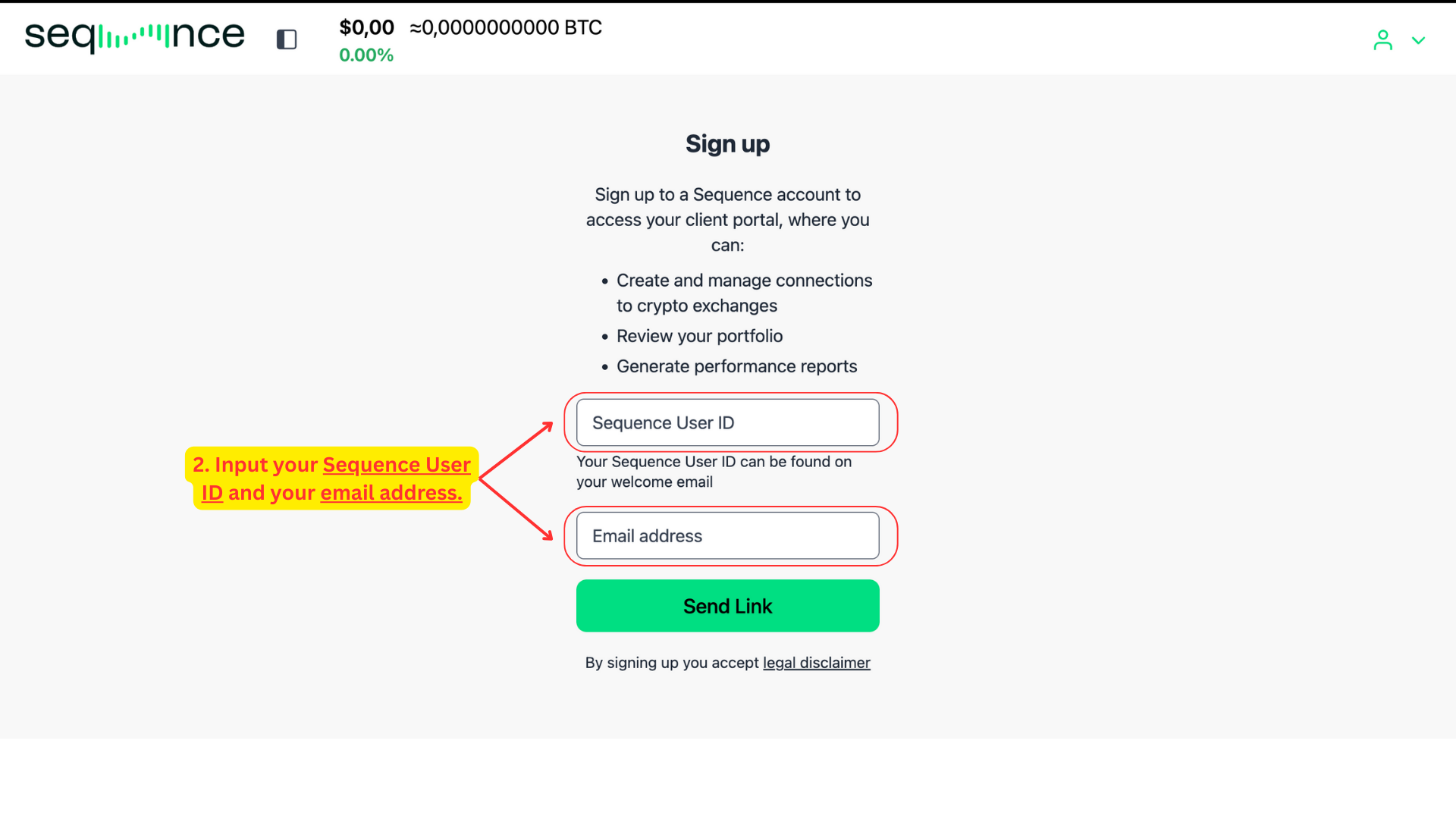
Please note: the email field is case sensitive. Be sure not to include any extra spaces. 2FA:
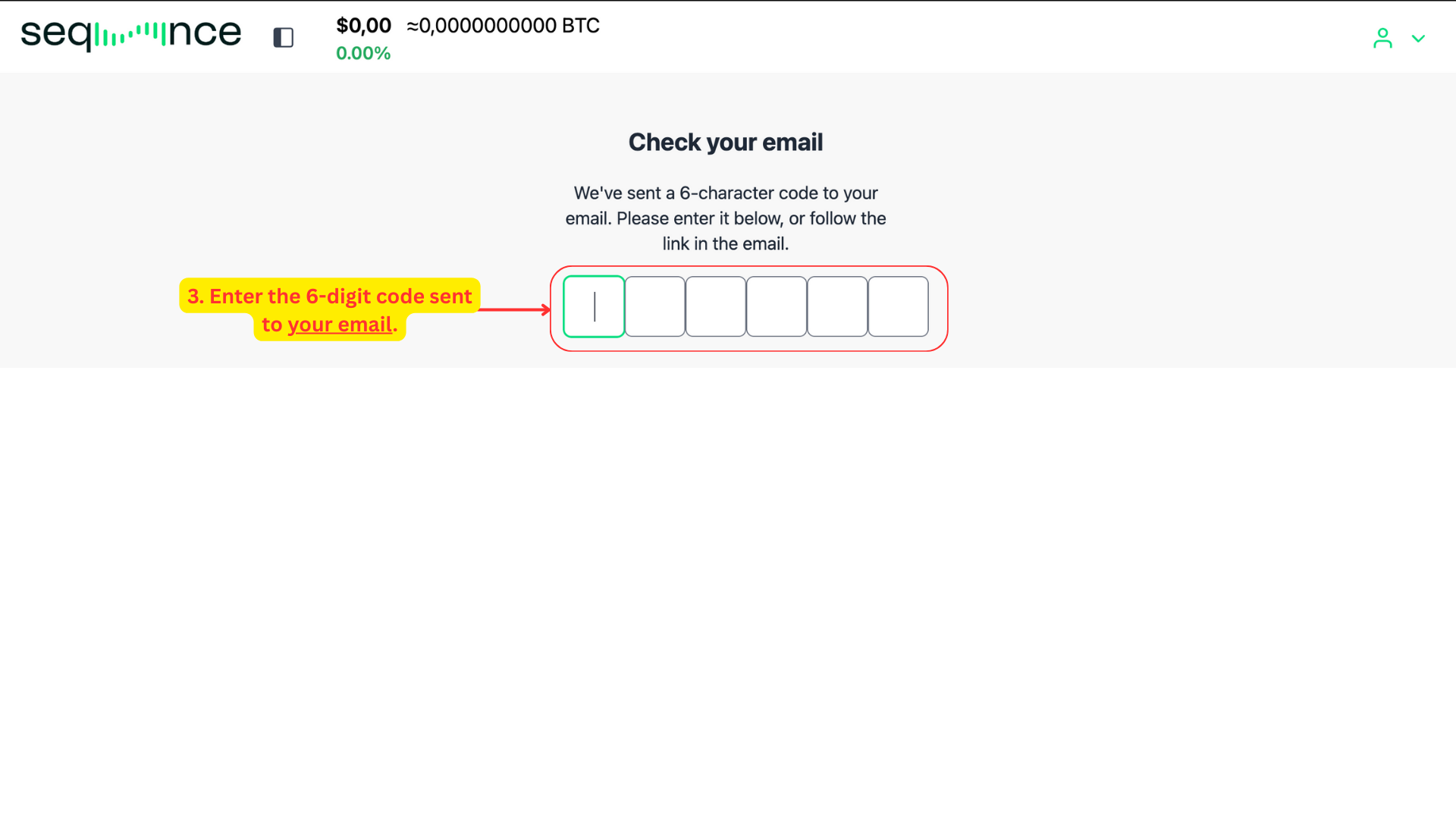
Once you’ve submitted your User ID and email, a 6-digit verification code will be sent to your inbox.
Enter the code on the screen to confirm your identity.
Alternatively, you can click the link included in the email to complete the process automatically.
Tip: If the email doesn’t appear within a minute, make sure to check your Spam or Promotions folder.
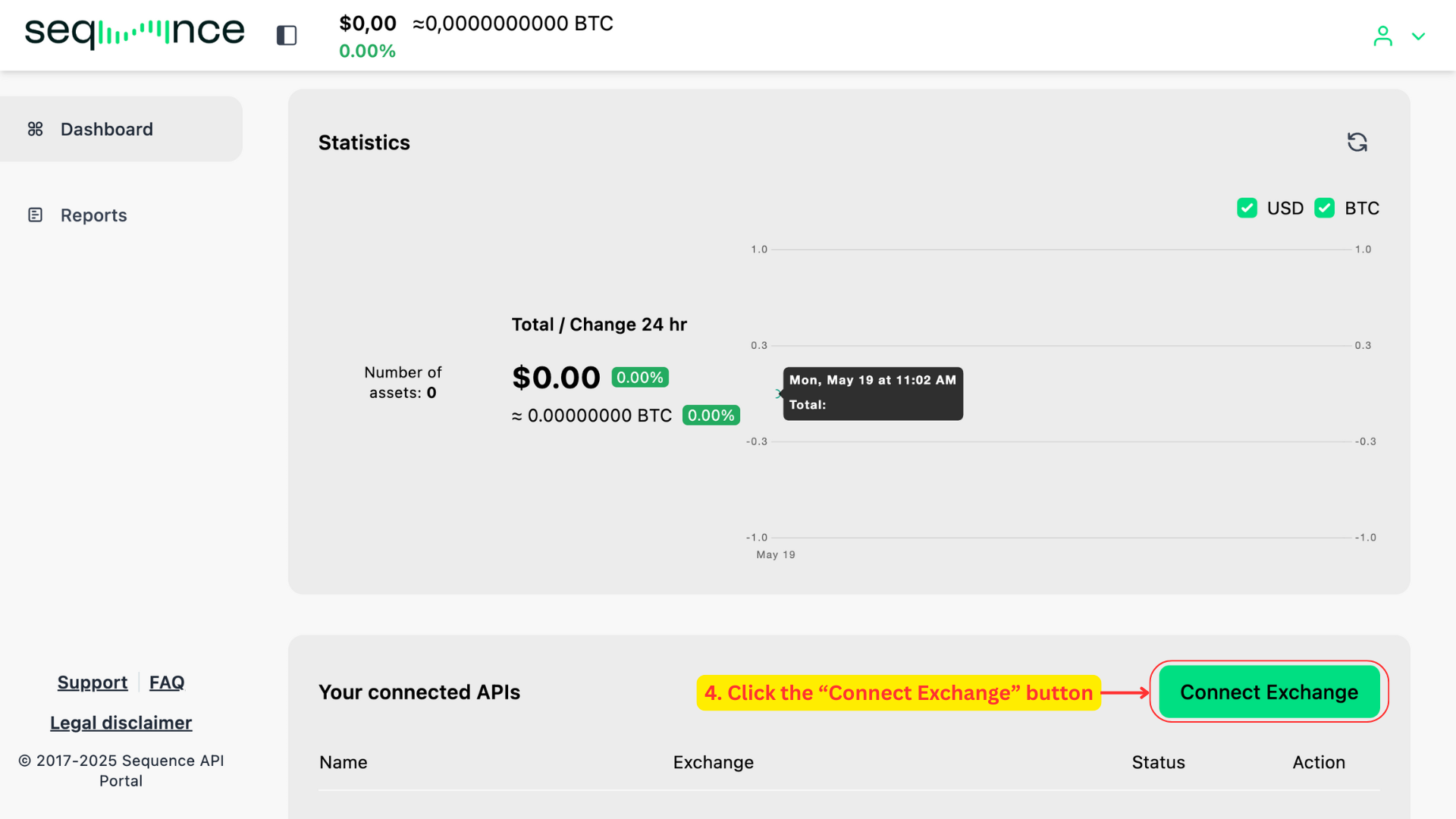
Connect your exchange.
Once you’ve successfully logged in, you’ll land on the API Connection Manager dashboard. Navigate to the bottom right of the screen and click the “Connect Exchange” button. A modal dialog will appear on the left-hand side of your screen.
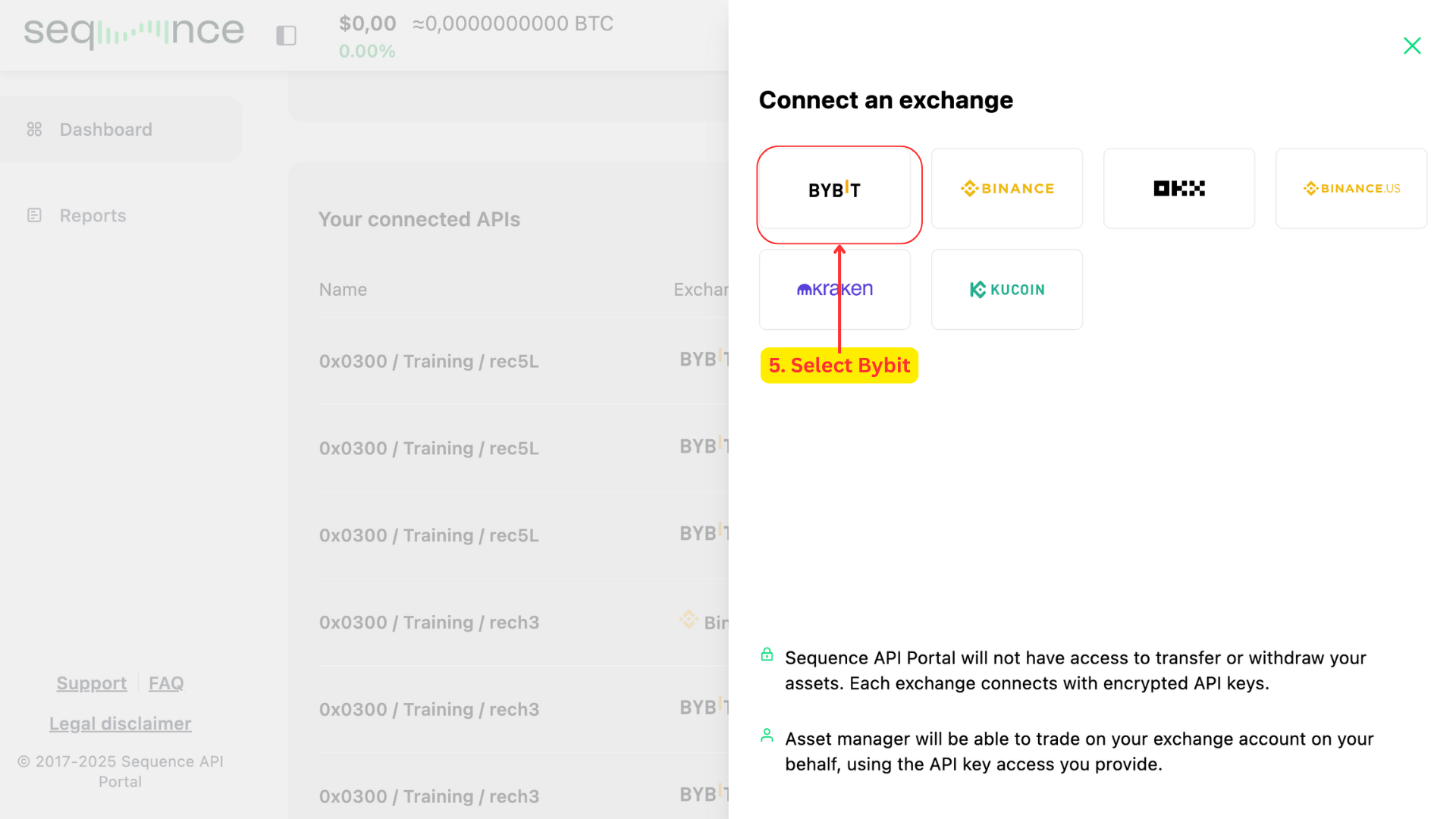
Select Bybit.
From the modal that appears on the right, click on the Bybit icon. This will trigger a second view in the same modal.
For guidance on submitting APIs for other exchanges such as Bitget Spot, Bitget Derivatives, Blofin, OKX, Kraken, KuCoin, Binance, or Binance.US, please refer to their individual setup guides. The process is very similar to this guideline. Prepare your Bybit IP settings (or other exchange IP settings)
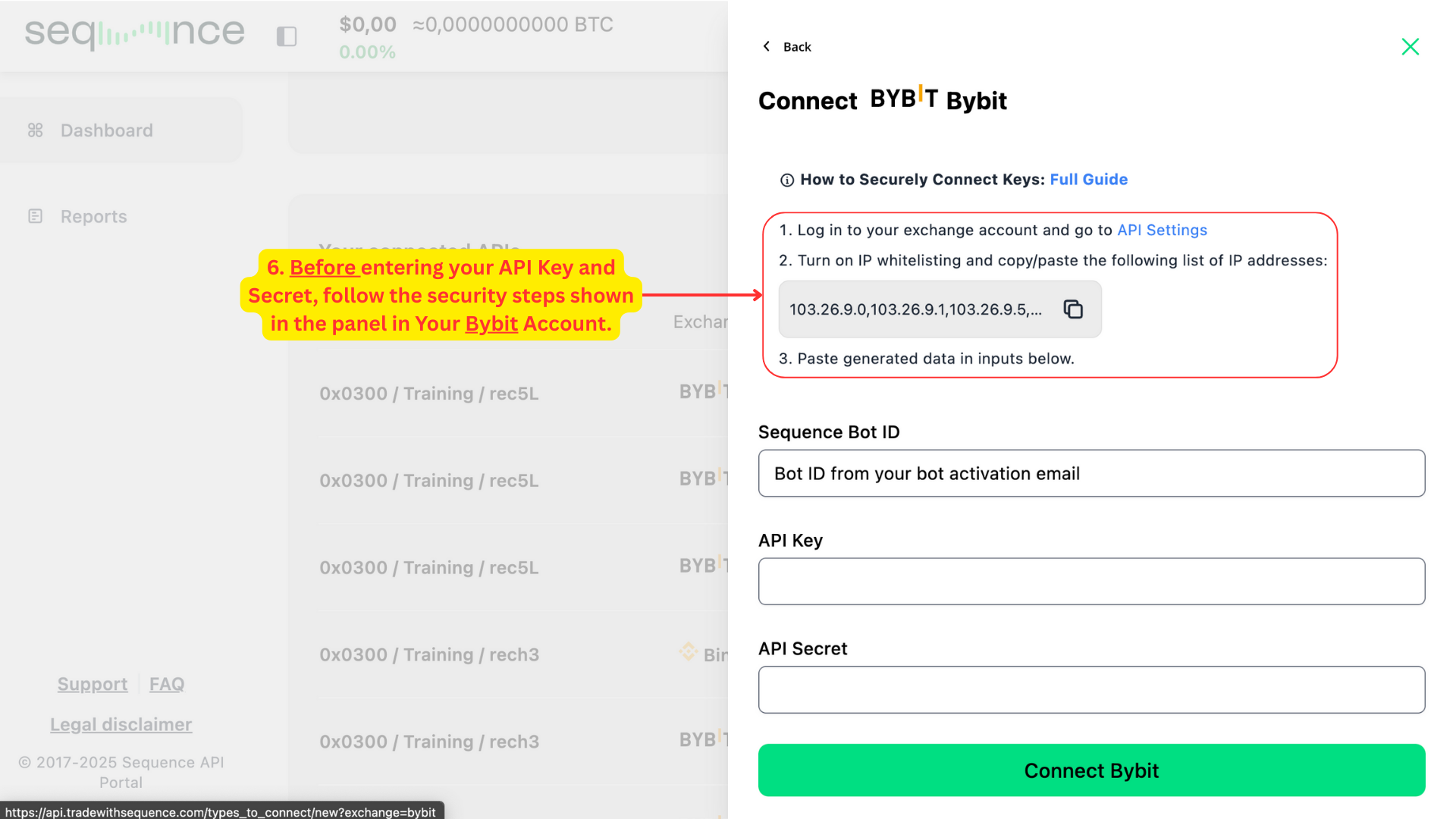
Before entering your API Key and Secret, follow the on-screen security instructions.
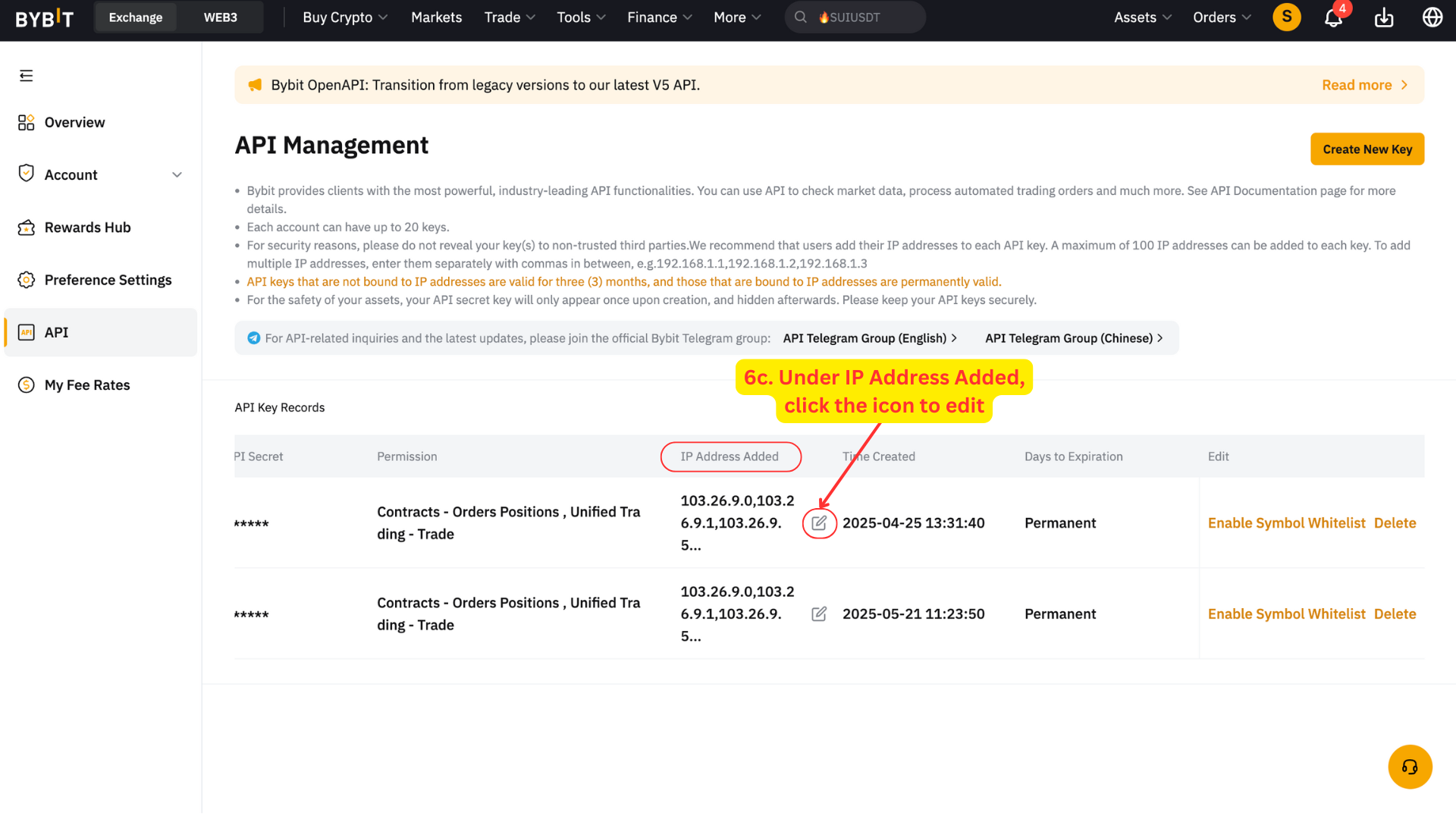
Log in to your Bybit account and go to the API Management section.
Find the API key you just created
Under IP Address Added, click the pencil icon to edit.
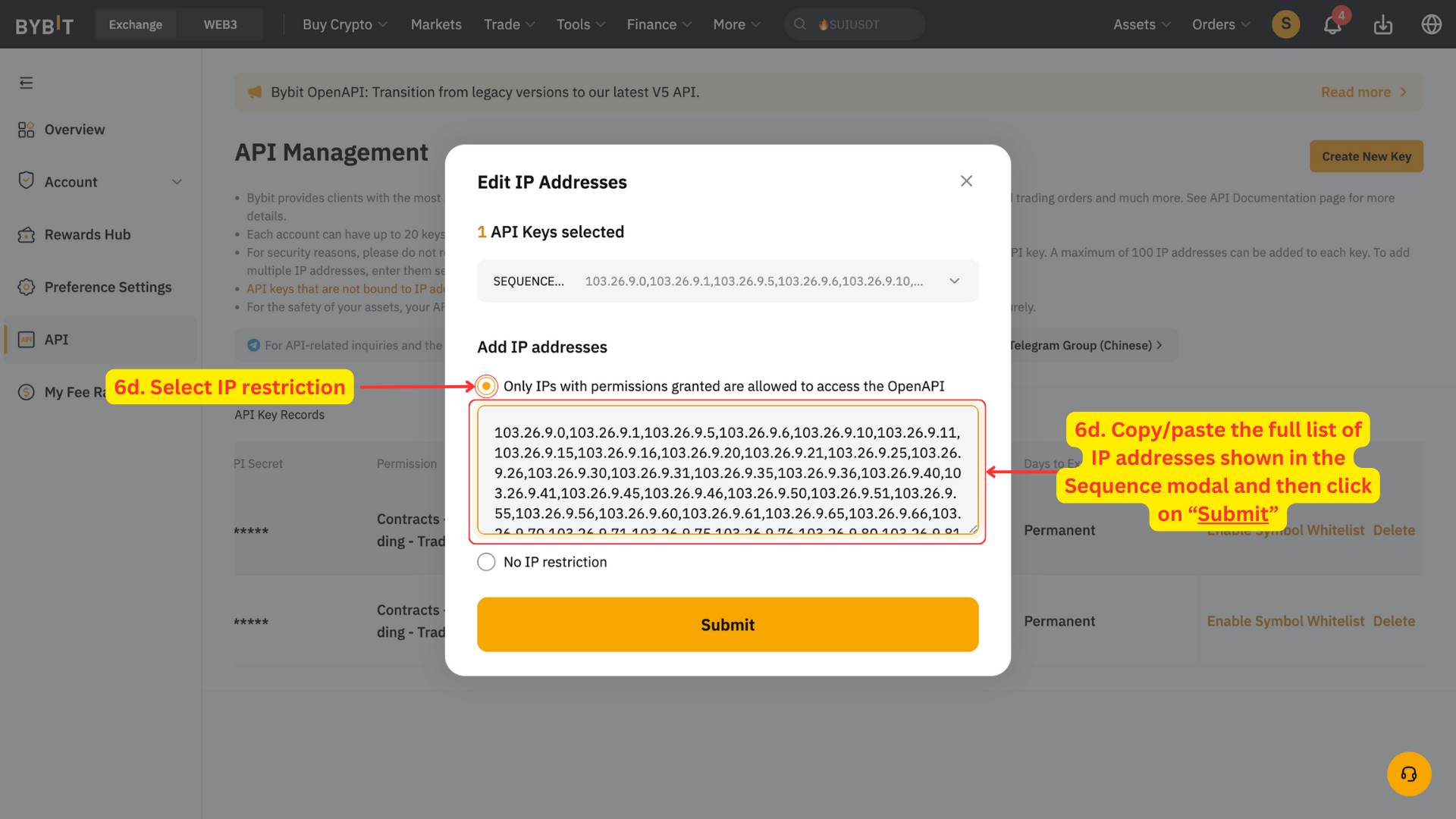
In the pop-up:
Select IP restriction → Copy IPs from Sequence → Paste into Bybit → Submit.
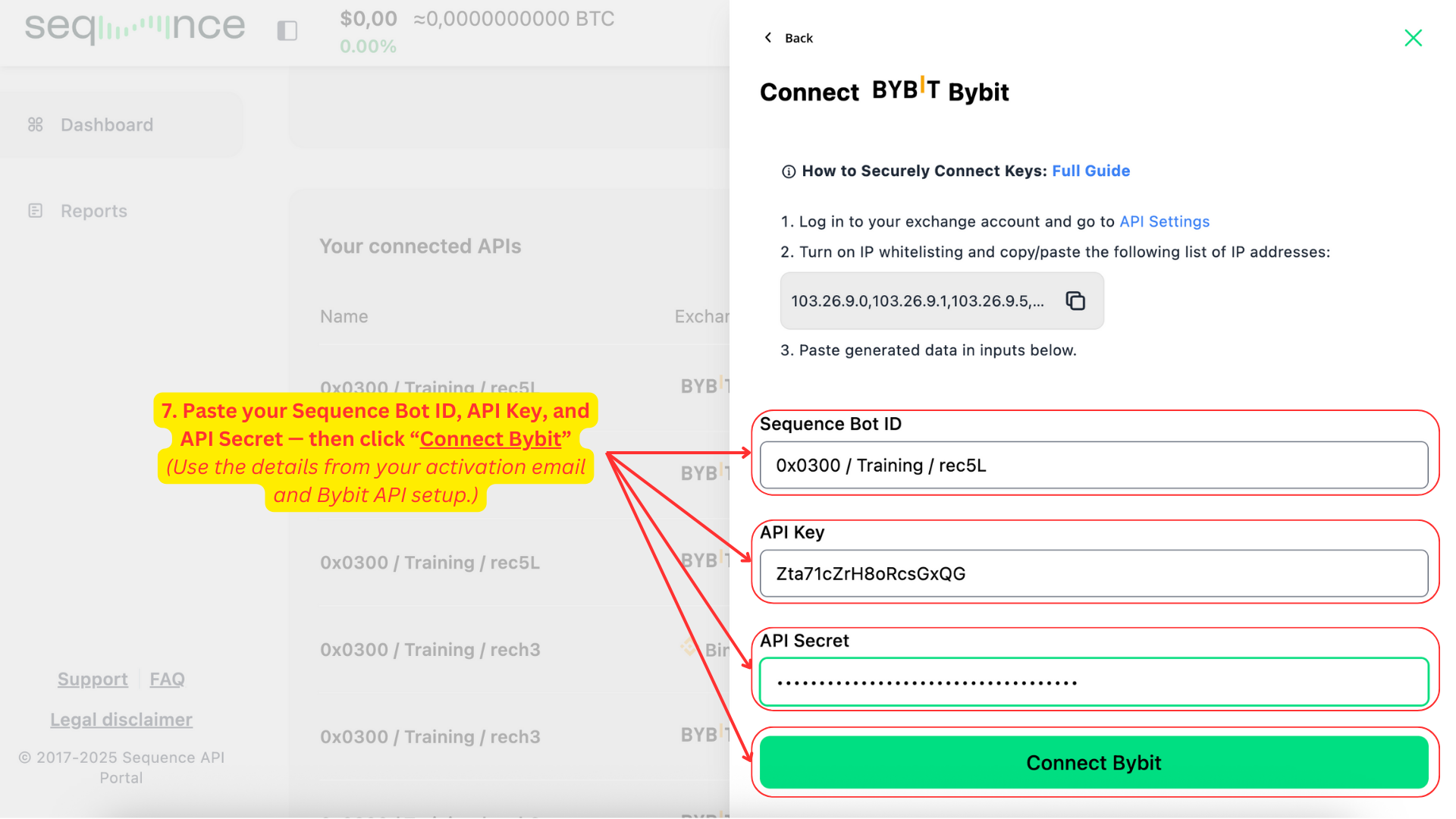
Enter your API credentials and connect.
Once completed the IP Whitelisting, return to the Sequence portal and proceed with entering your credentials.
Paste your Sequence Bot ID — this is included in your bot activation email.
Enter your API Key and API Secret from Bybit.
Click Connect Bybit to complete the integration.
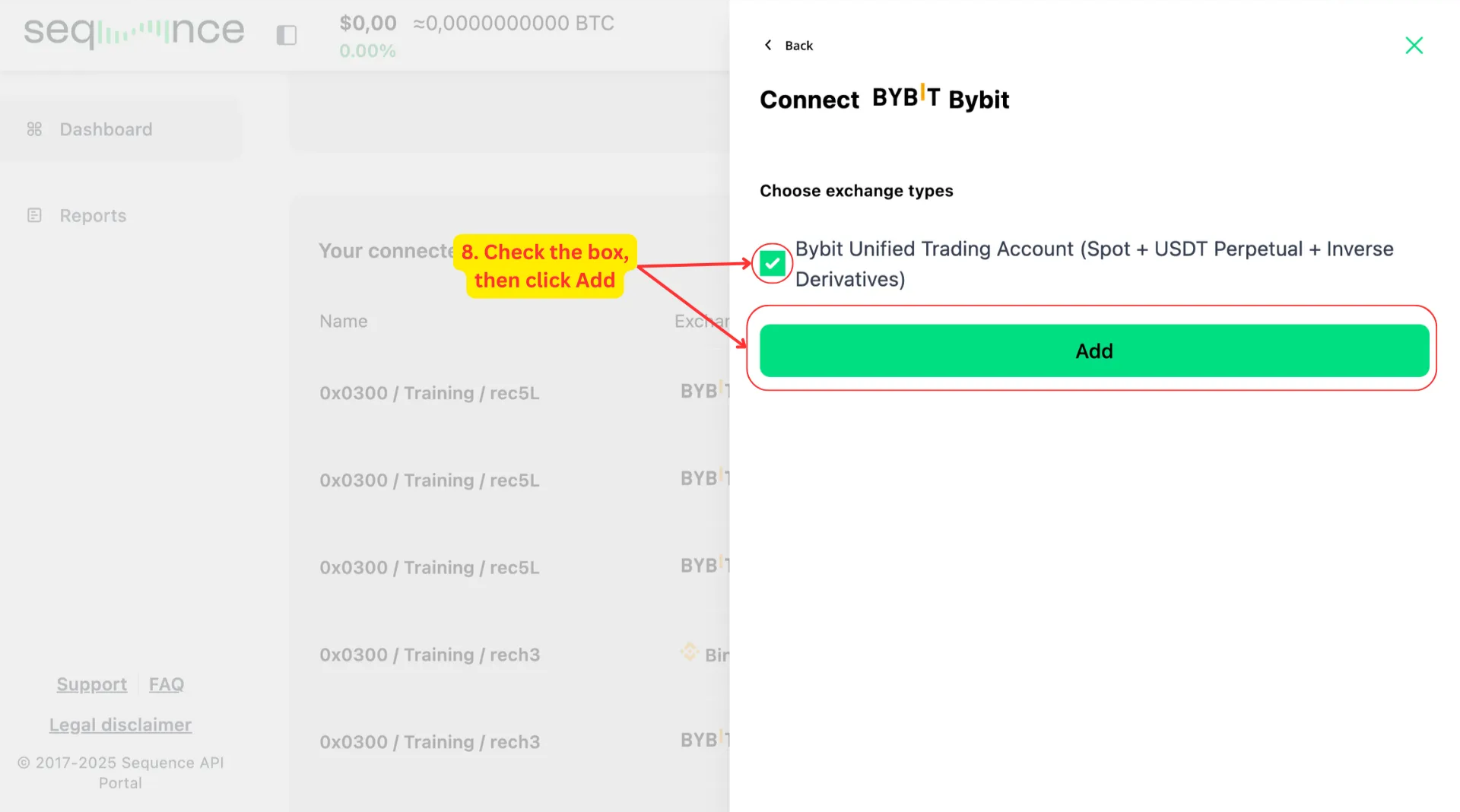
Check the box for Bybit Unified Trading Account (Spot + USDT Perpetual + Inverse Derivatives) and click Add to continue. You’ll see a confirmation message — “Account successfully connected!” — and the modal will close.
Step 7: You will receive an email confirmation
You will receive an email confirmation once you have submitted your keys. If you didn’t instantly receive the email, then we didn’t receive the keys.
If there is any issue with the keys or account, you will have an email from the trading team.
You will then receive an email once the strategy has been launched.
💡 Special Note for Bybit Users
Why do I see 3 APIs per Bybit connection?
If your Bybit account has derivatives enabled, you will automatically see three separate API connections for a single bot.
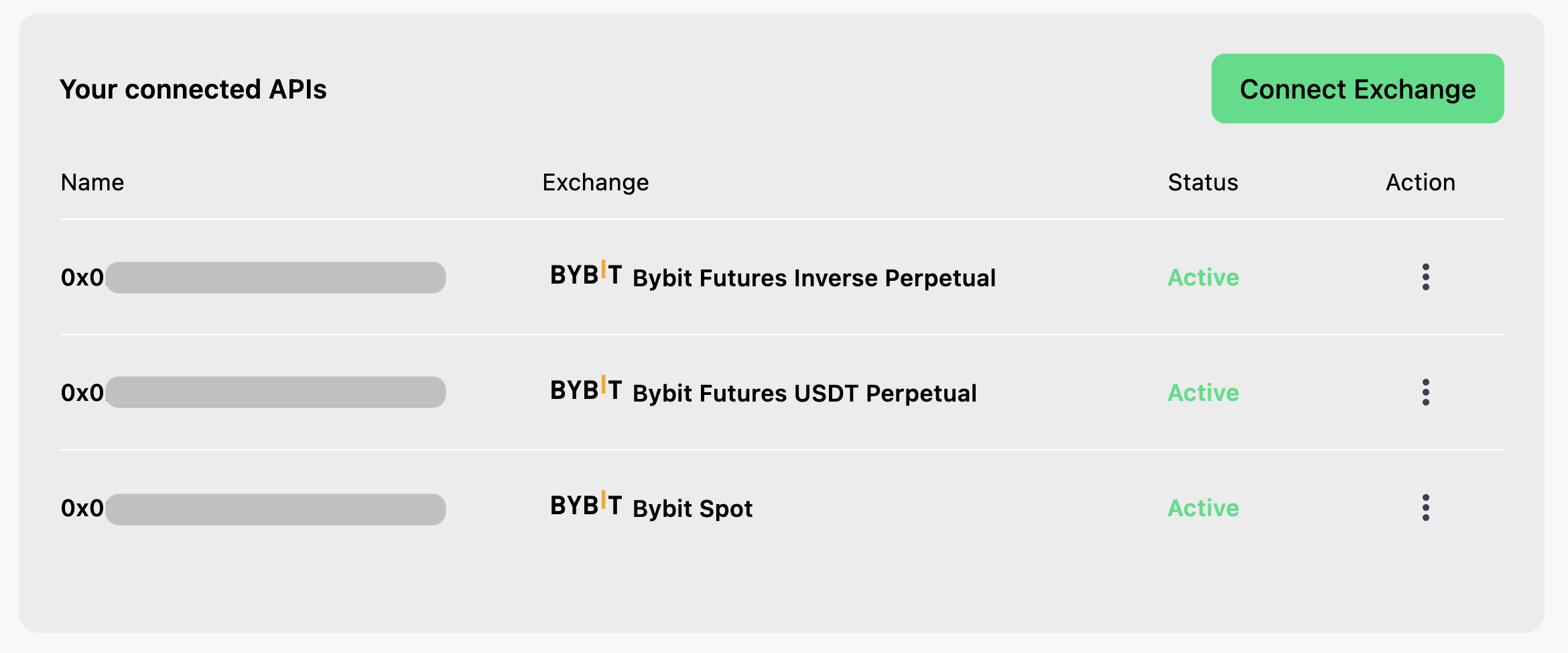
–This is normal and expected behavior.
It doesn’t mean you’ve added duplicate bots or done something wrong. Each Bybit connection creates 3 trading wallets that must be independently authorized through API permissions.
Additional Information
⁉️ API validity
API validity - is permanent for this method.
As you go through the API refresh process, it is important not to delete the keys that are trading to avoid any service disruption. Once you have received the “API refresh” email, you can delete the old API (or let it expire).
⁉️ Trade only permissions
The API permissions we require provide strictly controlled access exclusively for executing trades on your exchange platform. To ensure account security, these permissions do not allow for any withdrawal or transfer capabilities of your funds.
⁉️ Security recommendation
To protect your account's security, never share your exchange account login credentials—not even with our team.
What's next?
We recommend reviewing the sections below, which address common questions about what happens next.
🟢 What to expect
The algorithm employs a systematic approach, placing strategic orders based on bidirectional price action.
The algorithm intentionally places smaller trades when price ranges are tight. Therefore during sideways or upward-only price movements, the strategy maintains conservative trade sizes. Conversely, larger trades require more significant price movements in both directions for effective execution and closing.
🟢 Adding funds
The system takes into account the total balance of the account after the close of each trade / before the start of a new trade.
This means that additional deposits can be made at any time and the system will recognize the deposit at the start of the new trade.
For the funds to be recognized, please ensure funds are deposited into the Unified Trading Wallet (on Bybit) or account where you are trading (on other exchanges) AND deposited in the strategy's base currency.
🟢 Withdrawing funds
For security purposes, please notify us before making any withdrawals that exceed 5% of your total wallet balance. This security measure allows our team to safely pause the automated trading functions before processing your withdrawal.
You can submit withdrawal notifications through your user dashboard or by emailing us at support@tradewithsequence.com
For more details, visit our How to Withdraw Funds Safely guide.
🟢 How to monitor your strategy
You can monitor your strategy's performance directly through your exchange interface by looking at the trade history. We recommend doing this in your desktop browser.
For accurate performance tracking, please keep in mind that exchanges display (PnL) metrics in USD terms. This is relevant for any strategy that is accumulating Bitcoin — as the unit of account will be incorrect. You must look or export the close trades and then compare the results in your account.
We recommend reviewing the sections below, which address common questions about what happens next.
Critical Guidelines for Active Strategies
Once your strategy is active, please keep the following in mind to ensure everything runs smoothly:
🔴 Manual trades: Do not perform any manual trades in the sub-account running the algorithm
🔴 Withdrawals: Do not withdraw more than 5% of your total wallet balance without notifying us first
🔴 Non base asset withdrawal: Do not withdraw from any asset other than the coin that you are accumulating
🔴 Non base asset additions: Do not add any currency or coins, other than the base asset you are accumulating
🔴 Leverage settings - (Derivatives): Do not manually change the leverage setting - it must remain set to "Cross" at all times