
BTC On-Chain Payment Guide (USD Invoices)
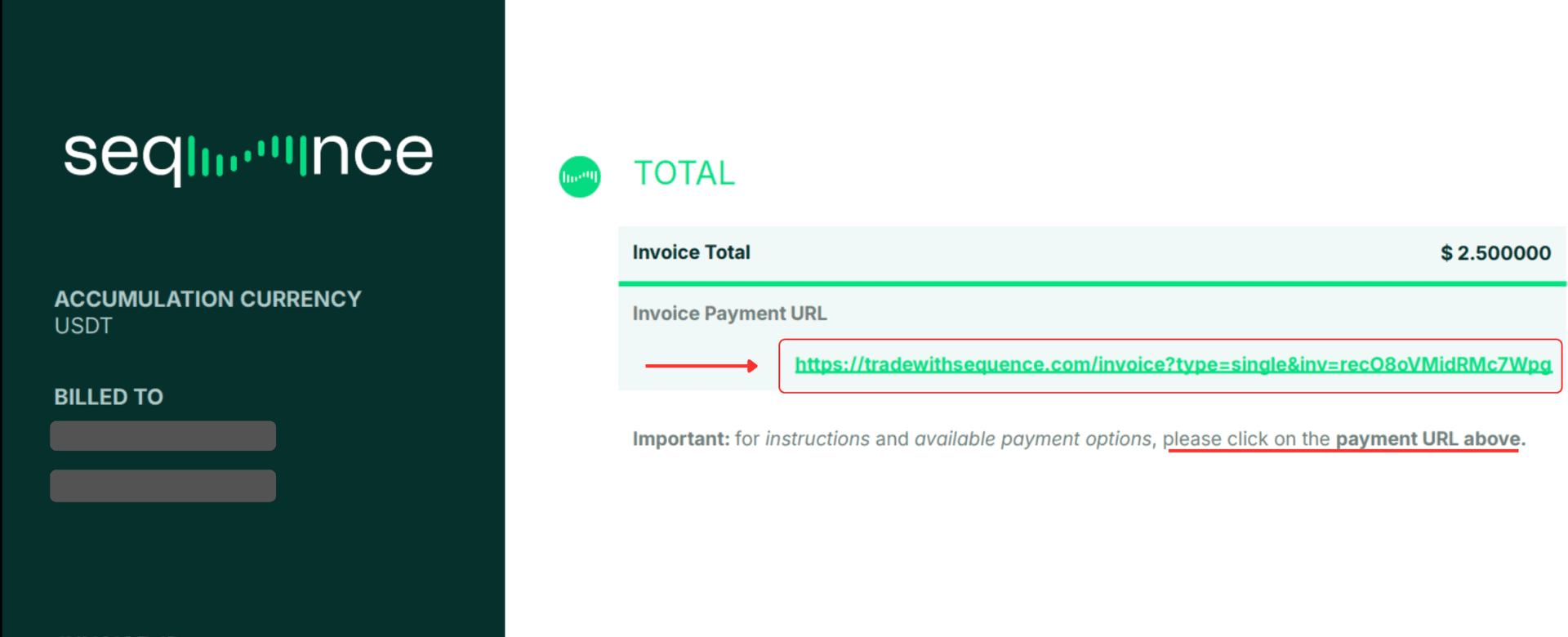
Table of contents
Step-by-step instructions for completing your Sequence invoice payment using Bitcoin (BTC) via the standard Bitcoin Network.
This guide is organized into the following sections:
What You’ll Need
- Supported Browser: Please use Google Chrome on a desktop for maximum compatibility. Avoid Safari or Firefox, tablets or smart phones.
- Time Limit: Once generated in the Payment Portal, your unique payment address and QR code remain active for 30 minutes.
- Funded Wallet or Exchange: An account on any crypto exchange (e.g., Bybit, Binance, OKX, Kraken) or private self-custody wallet with a sufficient BTC balance.
Step 1: Open Your Invoice Link
⚠️ Each invoice has its own unique payment link and BTC address — please never reuse an old BTC address. Always use the address from the most recent invoice you received.
- Locate the invoice email you received from Sequence and open the PDF.
- Click on the Payment URL shown in the top section.
- This unique link will open your invoice portal, that is unique to your invoice.
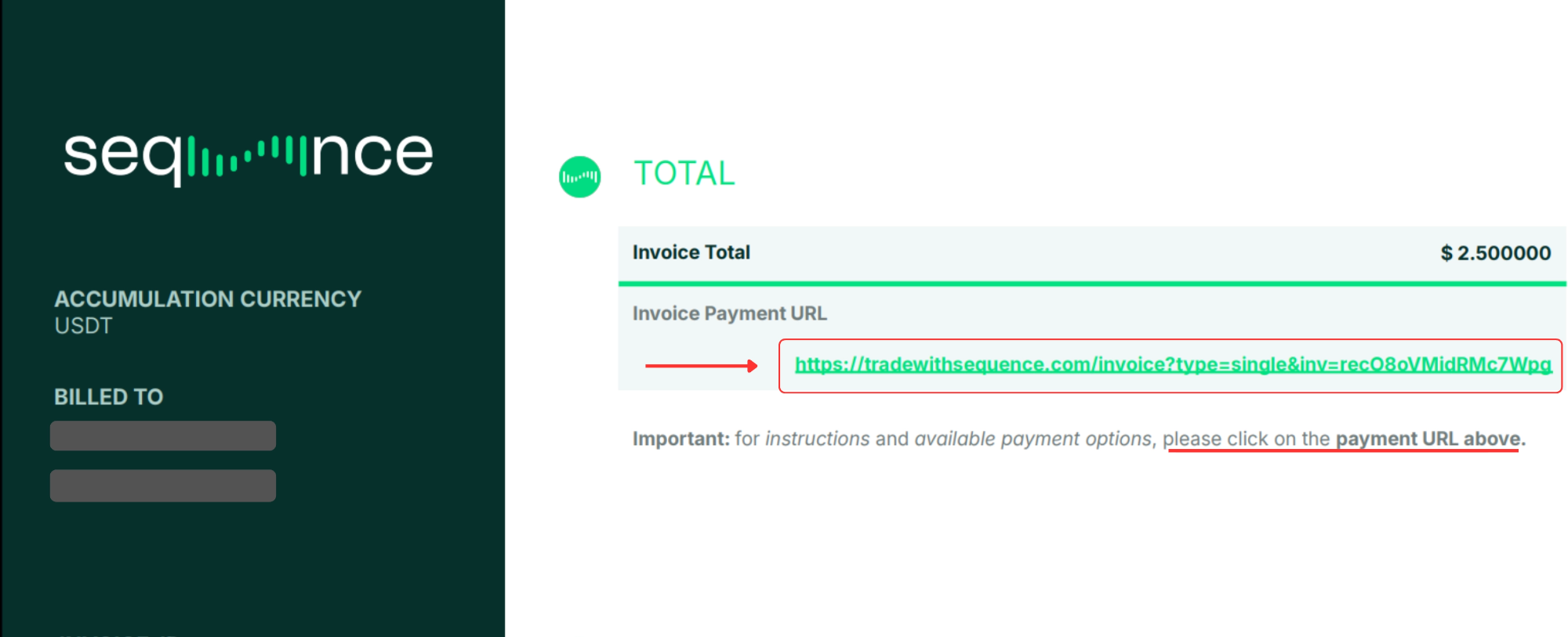
💡 Tip: If the Payment URL shows a line break, be sure to copy the full link before opening it — otherwise, the page won’t load correctly
Step 2: Access the Payment Portal
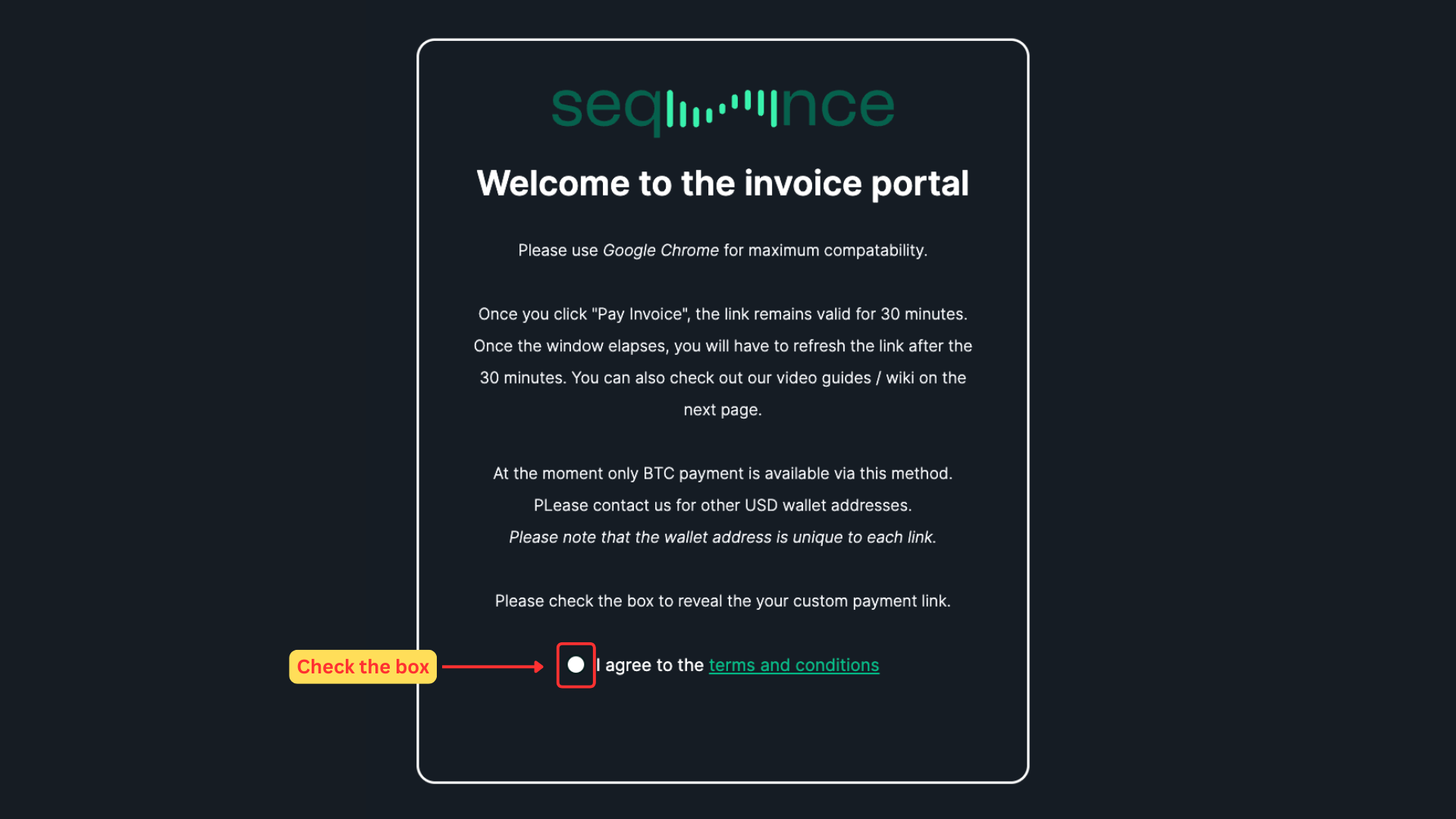
- Once you click the Payment URL, a new browser tab will open showing your invoice portal.
- Check the "I agree to the terms and conditions" box to reveal the "Pay Invoice" button, then click it to proceed.
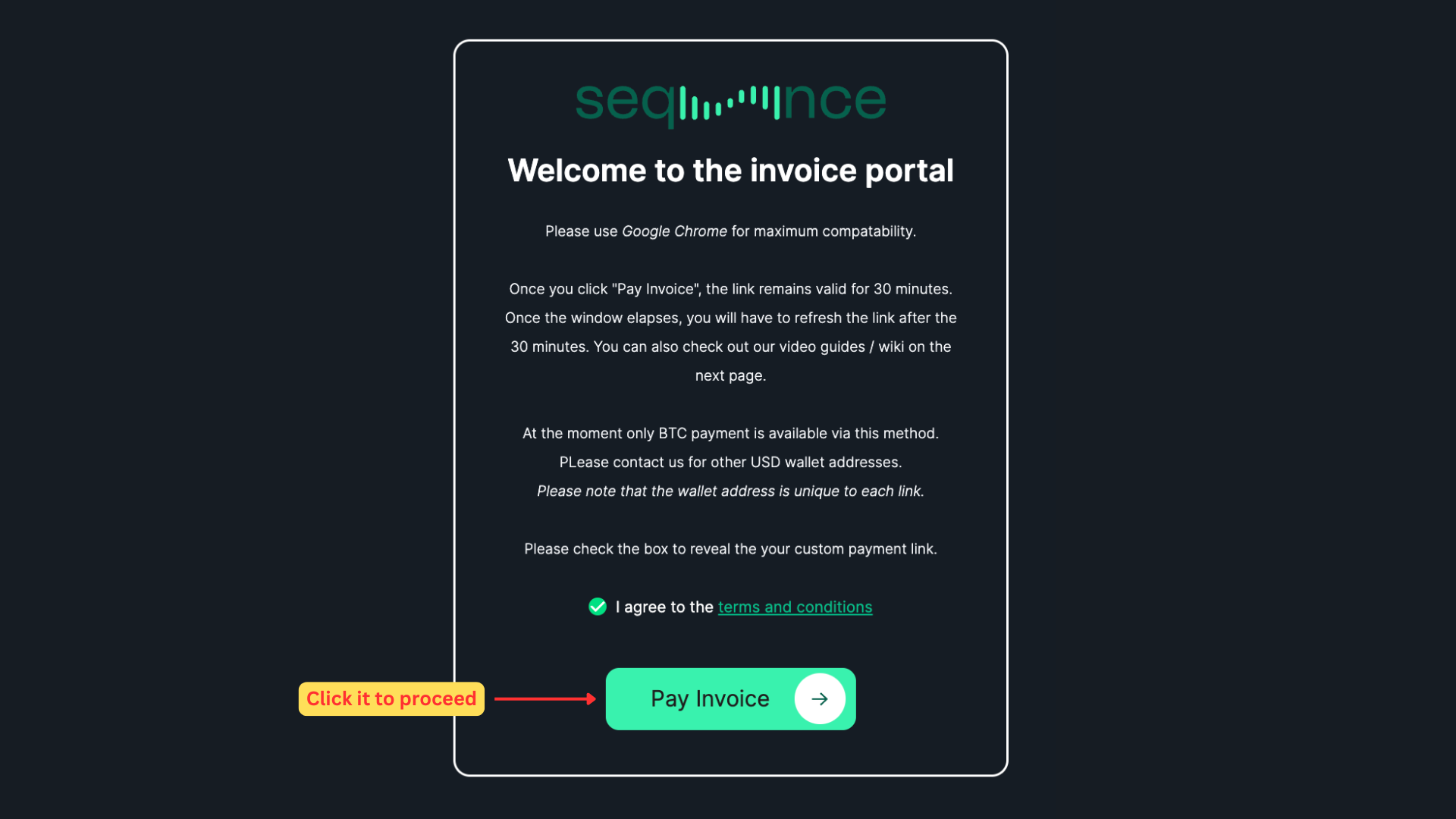
⚠️ Once you click "Pay Invoice", the link amd and wallet remains valid for 30 minutes.
Step 3: Complete the Transfer from Your Exchange or Wallet
- Your personalized BTC wallet address and QR code will appear on the screen, and the 30-minute timer will begin.
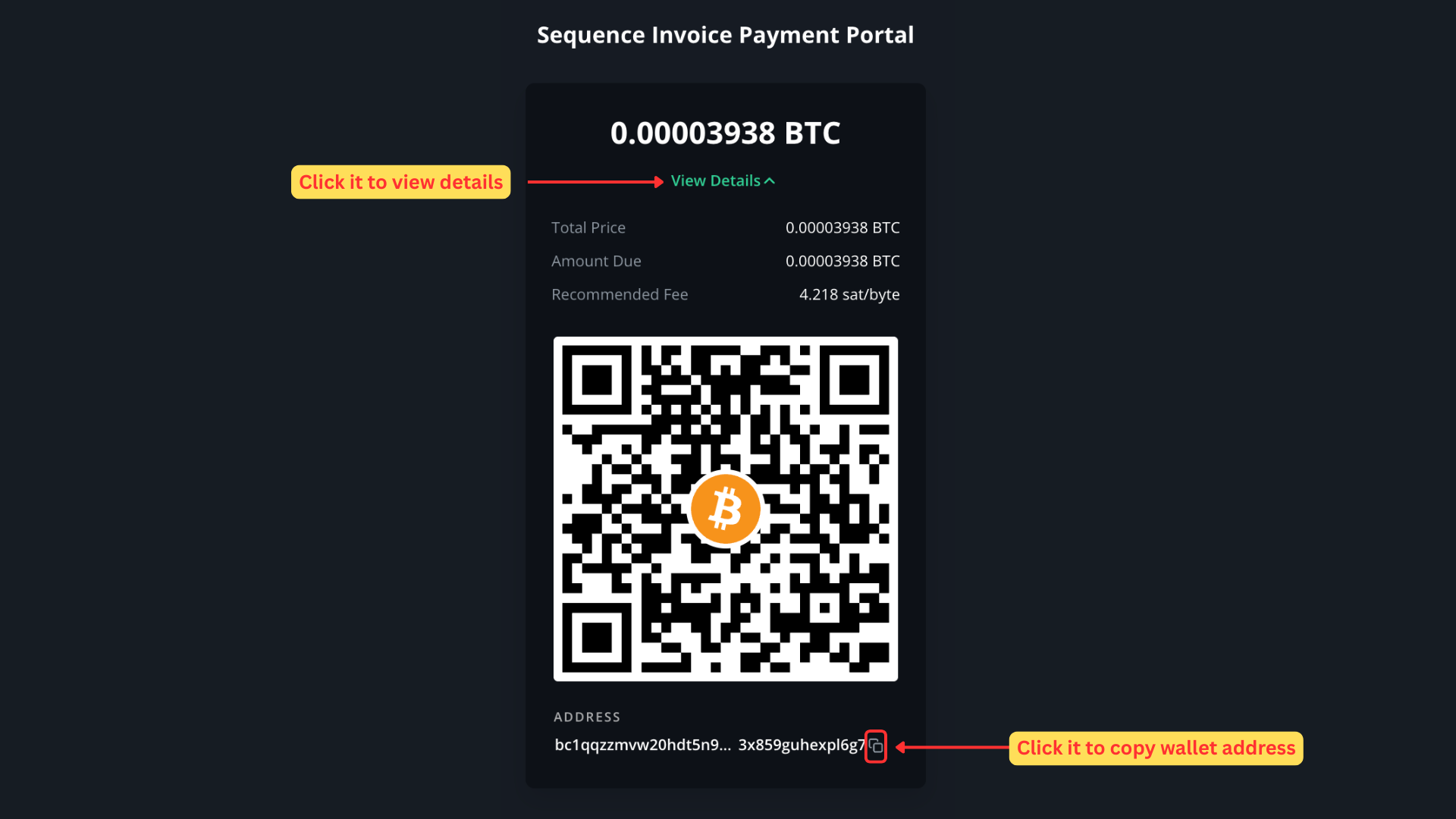
- Log in to your exchange/wallet and navigate to the Withdraw BTC / Send BTC section.
- Select the network: Bitcoin (BTC) / On-Chain.
- Copy the BTC Address displayed on the portal screen and paste it into the destination address field on your exchange.
- Calculate Exchange Network Fees: Make sure the net amount received by Sequence matches the exact total on your invoice.
- Formula:
Amount to Enter = Invoice Total + Exchange Withdrawal Fee - Example: If your invoice total is
0.00003938 BTCand Bybit charges a0.00011 BTCnetwork fee, enter0.00014938 BTCin your exchange withdrawal field so Sequence receives the exact required amount.
- Formula:
- Confirm and Submit: Double-check that all details match and confirm the withdrawal on your exchange to send the funds.
- Save Your TxID / Receipt: Once submitted, keep a copy or screenshot of your Transaction ID (TxID) for your own tracking records. Note: You do not need to submit or send your TxID to us unless our Support team specifically requests it for reconciliation.
Troubleshooting: "Invalid Address" Error when Scanning QR Code
Some exchange mobile apps misinterpret Bitcoin QR codes by reading embedded parameters (such as amount tags) directly into the destination address field, resulting in an "Invalid Address" error.
If your exchange app fails when scanning the QR code:
- Do not use the QR scanner app.
- On the Payment Portal screen, click the Copy icon next to the BTC Address.
- Manually paste the address into your exchange’s withdrawal destination field.
- Manually select the Bitcoin (BTC) network and enter the required amount including the exchange fee.
Exchange Withdrawal Restrictions (24-Hour Whitelist Lock)
- If your exchange account (e.g., Bybit) has address whitelisting or a 24-hour security lock for new withdrawal addresses enabled, the 30-minute validity window of our portal address will conflict with your exchange settings.
- Choose one of these solutions:
Option 1 :
Switch to Option A on your invoice and contact support@tradewithsequence.com to request a payment setup via USDT or USDC.
Option 2:
Use a personal self-custody wallet (e.g., Muun, Exodus, Trust Wallet, Electrum) as a bridge. Whitelist your personal wallet address on your exchange once. Then, send funds from your personal wallet to the Sequence Payment Portal (personal wallets do not enforce 24-hour locks).
Option 3:
Alternatively, you can pay from a second exchange account that is has lower security settings.
Refer to your exchange’s official guide below for step-by-step instructions.
Need Help Navigating Your Exchange?
Refer to your exchange’s official withdrawal guide for step-by-step instructions on how to submit an On-Chain BTC transfer:
- Bybit: How to Submit an On-Chain Withdrawal Request
- BloFin: How To Withdraw From BloFin?
- Bitget: On-chain Withdrawals
- OKX: How to Withdraw Crypto?
- KuCoin: How to Make a Withdrawal on KuCoin
- Kraken: How to Withdraw Cryptocurrencies from Kraken
- Binance: How to Withdraw Crypto from Binance?
- BinanceUS: How to withdraw crypto from your Binance.US account